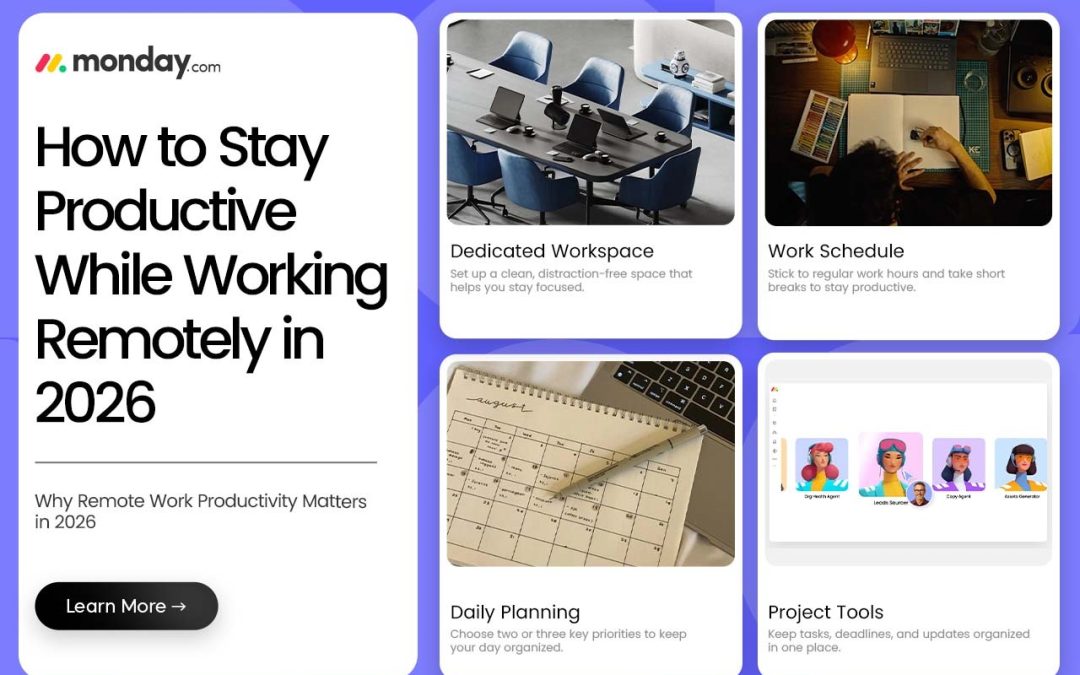
Working from home sounds great in theory, until your workday starts losing to household chores, phone notifications, and the “just one more break” trap. By 2026, remote work is basically just work for a huge chunk of people. But staying focused still takes real effort. If you’re trying to stay productive while working remotely, it’s less about willpower and more about building a routine that keeps you on track, something a tool like Monday can actually help with once your task list starts getting messy.
Why Remote Work Productivity Matters in 2026
Remote work hands you a ton of flexibility, but that same flexibility can bite you if you’re not paying attention. No clear schedule means small tasks quietly stack up, deadlines creep closer than you thought, and next thing you know you’re working past dinner just to catch up.
Good remote work productivity isn’t about chaining yourself to your laptop for ten hours. It’s really just knowing what actually matters today, putting your focus there, and knowing when to close the laptop and walk away. A handful of small habits can make your workday feel way less chaotic and help you get more done without that constant “I’m always busy but never finished” feeling.
6 Ways to Stay Productive While Working Remotely
Here are the 6 ways that help you manage remote work productivity
1. Create a Dedicated Workspace
Try to work from the same spot every day, even if a full home office isn’t in the cards. Just a clean desk with the stuff you actually need can make it so much easier to mentally clock into work mode. Keep your phone out of arm’s reach when you need real focus, and honestly, just avoid working from spots you already know will pull your attention away.
2. Start Your Day With a Clear Plan
Before you open your inbox or hop on a call, take a few minutes to figure out what genuinely needs your attention today. Pick two or three things that actually matter instead of writing out some massive to-do list you already know won’t get touched.
This is where Monday comes in handy; it’s an easy way to keep your priorities, deadlines, and daily tasks in one place instead of scattered across sticky notes and half-remembered Slack messages.
3. Follow a Consistent Work Schedule
One of the simplest remote work tips there is: give your day some structure. Start and stop around the same time as often as you can manage. And seriously, don’t skip breaks. Step away from the screen, grab some water, stretch a little, take a short walk. Working nonstop doesn’t actually make for a more productive day; sometimes it’s the opposite.
4. Use Project Management Tools
Working remotely means tasks and updates get buried in emails and chat threads way too easily. Having one place to see everything makes a genuine difference.
Monday lets teams organize tasks, figure out who’s responsible for what, track deadlines, and actually see how a project’s moving, without anyone having to ask “hey, where are we on this?” for the tenth time.
5. Limit Digital Distractions
Social media, random texts, news alerts, endless notifications-, all of it chips away at your focus faster than you’d think. Turn off whatever isn’t essential while you’re actually trying to work. Try blocking off short stretches where you focus on just one thing, phone and inbox both untouched. Small habit, but it genuinely does a lot for work-from-home productivity.
6. Stay Connected With Your Team
Remote doesn’t have to mean isolated. Regular communication cuts down on misunderstandings and keeps everyone pulling in the same direction. Save meetings for stuff that actually needs a real back-and-forth, and use quick written updates for the simpler things. Monday helps here too; o, teams can check task progress and updates without needing yet another status call.
How to Manage Remote Work Tasks More Effectively
A big part of figuring out how to stay productive while working remotely is just breaking big projects down into smaller, more manageable pieces. Instead of staring at one giant project, split it into chunks with deadlines that actually make sense.
Monday makes it pretty easy to track those pieces, see who owns what, and know what’s done versus what’s still hanging out there. It makes the whole workload feel a lot less overwhelming and keeps things from quietly slipping through the cracks.
Remote Work Productivity Mistakes to Avoid
To stay productive while working remotely, you should avoid the following mistakes.
- Diving into work with no real plan
- Trying to multitask absolutely everything
- Checking notifications every five minutes
- Skipping breaks altogether
- Sitting through meetings that honestly didn’t need to happen
- Working late because nothing got prioritized right
- Not communicating enough with your team
The point was never to make every single minute “productive.” It’s about making the hours you do work actually count.
Simple Daily Routine for Remote Workers
A basic routine helps you stay productive while working remotely
- Morning: Look over your priorities, map out the day.
- Midday: Knock out your main tasks, then take an actual, real break.
- Afternoon: Deal with the smaller stuff, meetings, quick tasks, team check-ins.
- End of day: See what actually got done, line up tomorrow’s priorities.
Running this through Monday makes it a lot easier to keep up as your workload grows.
FAQs
How can I stay productive while working remotely?
Set up a dedicated workspace, plan your priorities each day, keep a consistent schedule, cut back on distractions, and actually take breaks.
What is the biggest productivity challenge in remote work?
Distractions, messy time management, communication gaps, and just struggling to separate work life from home life-, pretty much all of the above.
How can project management tools help remote workers?
They keep your tasks, deadlines, responsibilities, and progress in one spot instead of scattered across five different apps.
Final Thoughts
Learning to stay productive while working remotely was never about cramming work into every spare minute. A decent routine, fewer distractions, real breaks, and solid communication go a long way. Use something like Monday to keep your tasks organized, but at the end of the day, the goal’s simple: get the important stuff done, and still have a life once you close the laptop.