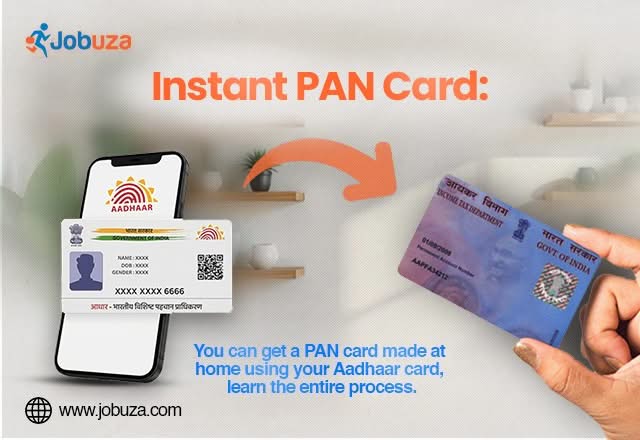
Getting a PAN card has become much easier with the Income Tax Department’s online services. Individuals who meet the required eligibility conditions can now apply for an Instant e-PAN from home using their Aadhaar card. The entire process is digital, paperless, and free of cost, allowing eligible applicants to receive their e-PAN within a short time.
If you are planning to apply for a new PAN card, here’s everything you need to know about the eligibility requirements, online application process, and important points to remember.
What Is an Instant e-PAN?
An Instant e-PAN is a digitally generated Permanent Account Number (PAN) issued by the Income Tax Department. It is created using Aadhaar-based e-KYC and is available in digital format. Eligible applicants can download the e-PAN online without visiting any government office.
Who Can Apply for an Instant PAN Card?
Before applying, make sure you meet the following eligibility conditions:
- You must be an Indian citizen.
- You should be at least 18 years of age.
- You must have a valid Aadhaar card.
- Your Aadhaar should not already be linked to another PAN card.
- Your mobile number must be linked with your Aadhaar for OTP verification.
Applicants who do not meet these conditions may not be able to complete the Instant e-PAN application process.
Documents Required
The Instant e-PAN facility requires minimal documentation. Generally, you only need:
- Aadhaar Card
- Aadhaar-linked mobile number
- Stable internet connection
Since the process is Aadhaar-based, no additional physical documents are required during the online application.
How to Apply for an Instant PAN Card Online
Eligible applicants can complete the application by following these simple steps:
Step 1: Visit the official Income Tax e-Filing portal.
Step 2: On the homepage, locate the Quick Links section and click on Instant e-PAN.
Step 3: Select the Get New e-PAN option.
Step 4: Enter your 12-digit Aadhaar number and accept the declaration.
Step 5: Verify your identity by entering the OTP sent to your Aadhaar-registered mobile number.
Step 6: After successful verification, the system will automatically fetch your details from the Aadhaar database.
Step 7: Carefully review your personal information, including your name, date of birth, photograph, and address.
Step 8: Submit the application.
How to Download Your Instant e-PAN
After submitting the application successfully, a unique acknowledgement or receipt number will be generated.
Once your e-PAN is issued, you can:
- Visit the Income Tax e-Filing portal.
- Open the Instant e-PAN section.
- Select the option to download your e-PAN.
- Verify your identity using Aadhaar and OTP.
- Download the e-PAN in PDF format.
Benefits of Instant e-PAN
Applying for an Instant e-PAN offers several advantages, including:
- Completely online application process.
- No physical paperwork required.
- Free service for eligible applicants.
- Aadhaar-based identity verification.
- Digital PAN available for immediate use after issuance.
- Saves time compared to the traditional PAN application process.
Important Points to Remember
Before submitting your application, keep these points in mind:
- Ensure your Aadhaar details are accurate and up to date.
- Your Aadhaar-linked mobile number must be active to receive OTPs.
- Do not apply if you already have a valid PAN card.
- Verify all information carefully before final submission.
- Keep your acknowledgement number safe for future reference.
Final Words
The Instant e-PAN facility has made applying for a PAN card faster and more convenient than ever. Eligible applicants can complete the entire process online using their Aadhaar card without visiting any office or submitting physical documents. Before applying, ensure your Aadhaar information is correct and your mobile number is linked to avoid delays during verification. This simple digital service helps individuals obtain a PAN card quickly for banking, taxation, and other financial purposes.