Aadhaar has become an important identity document for banking, government services, authentication and digital verification in India. But that does not mean you should automatically share a photocopy or your complete 12-digit Aadhaar number whenever someone asks for identification.
UIDAI provides several security features that can help Aadhaar holders limit unnecessary exposure of their Aadhaar details.
Two useful options are Masked Aadhaar and Virtual ID (VID). UIDAI also provides features such as biometric locking and Aadhaar authentication history to give users more control over their Aadhaar security.
What Is Masked Aadhaar?
Masked Aadhaar is an electronic version of Aadhaar in which the first eight digits of the 12-digit Aadhaar number are hidden.
Only the last four digits remain visible.
For example, instead of showing:
1234 5678 9012
a Masked Aadhaar would display:
XXXX XXXX 9012
This can be useful when an organisation needs to see your Aadhaar document but does not require the complete Aadhaar number.
UIDAI currently provides a free option to download Masked Aadhaar through its official MyAadhaar services. Mobile OTP authentication is required.
Why Use Masked Aadhaar?
Before sharing a complete Aadhaar copy, check whether the organisation accepts a Masked Aadhaar.
Using it can help reduce the unnecessary sharing of your full Aadhaar number.
However, whether Masked Aadhaar is acceptable depends on the specific service and its requirements.
What Is Virtual ID or VID?
Virtual ID (VID) is a temporary 16-digit number that can be used instead of your Aadhaar number for supported authentication services.
The main advantage is that you can use the VID where supported without directly providing your actual Aadhaar number.
UIDAI lists Generate Virtual ID as an Aadhaar security service and currently provides the facility through its official services.
If you generate a new VID, the previous VID becomes invalid under the applicable UIDAI system.
When Can You Use VID?
If a bank, service provider or other organisation offers Aadhaar authentication using VID, you can consider using the VID instead of directly sharing your Aadhaar number.
Keep in mind that not every organisation or service may support VID, so always check the authentication options available for the particular service.
Masked Aadhaar vs VID: What’s the Difference?
The two features serve different purposes.
Feature
Masked Aadhaar
Virtual ID
Format
Aadhaar document
16-digit temporary ID
Aadhaar number shown
Only last 4 digits
Actual Aadhaar number is not shared
Main use
Sharing an Aadhaar document
Supported authentication/e-KYC
Availability
UIDAI services
UIDAI services
OTP required
Yes
Yes
The right option depends on what the organisation actually requires.
Another Aadhaar Security Feature: Lock Your Biometrics
UIDAI also provides a Biometric Lock/Unlock facility.
When biometric locking is enabled, Aadhaar authentication using biometric modalities such as fingerprint, iris and face is restricted. UIDAI says the facility is intended to strengthen the privacy and confidentiality of Aadhaar biometric data.
You can temporarily unlock your biometrics when biometric authentication is required.
This can be particularly useful if you do not regularly need biometric authentication.
How to Download Masked Aadhaar
Downloading a Masked Aadhaar is relatively simple.
Steps to download Masked Aadhaar:
Visit the official UIDAI/MyAadhaar website.
Choose the Aadhaar download option.
Enter the required Aadhaar details.
Complete OTP verification using your registered mobile number.
Select the Masked Aadhaar option, where available.
Download the electronic copy.
Always use UIDAI’s official website or official Aadhaar services instead of websites claiming to provide Aadhaar services.
How to Generate a Virtual ID
You can generate a VID through UIDAI’s Aadhaar services.
After completing the required authentication, UIDAI generates a 16-digit Virtual ID associated with your Aadhaar.
The VID can then be used for supported authentication services instead of directly revealing your Aadhaar number.
If you generate a new VID, the earlier VID becomes invalid according to the applicable UIDAI system rules.
Never Share Your Aadhaar OTP
Your Aadhaar OTP is an important part of online authentication.
Never share an OTP with someone simply because they claim to be calling from:
A bank
UIDAI
A government department
A courier company
A telecom company
Another service provider
If someone asks you to tell them an Aadhaar OTP over the phone, treat it as a potential fraud warning.
Enter the OTP only on the official website or application where you personally initiated the transaction.
Check Your Aadhaar Authentication History
If you are worried that someone may have used your Aadhaar for authentication without your knowledge, UIDAI provides an Authentication History facility.
This allows Aadhaar holders to review authentication activity associated with their Aadhaar. UIDAI also provides authentication-history functionality through its Aadhaar services and Aadhaar App.
If you notice an authentication transaction that you do not recognise, use UIDAI’s official grievance and support channels rather than responding to an unknown caller or message.
Do You Really Need to Share Your Full Aadhaar?
One simple security habit is to stop treating a full Aadhaar photocopy as the default identity document for every situation.
Before sharing Aadhaar, ask what the organisation actually requires:
Full Aadhaar
Masked Aadhaar
Virtual ID
Another officially accepted identity document
The correct option will depend on the particular service and its authentication requirements.
Quick Aadhaar Safety Checklist
Keep these Aadhaar security tips in mind:
Use Masked Aadhaar when a full Aadhaar number is not required.
Use VID when the service supports Virtual ID authentication.
Never share your Aadhaar OTP with anyone.
Consider locking your biometrics when you do not need biometric authentication.
Download Aadhaar only through official UIDAI services.
Avoid sending Aadhaar documents to unknown WhatsApp numbers or email addresses.
Check your Aadhaar authentication history if you suspect unauthorised activity.
Be cautious when an unknown person urgently asks for your Aadhaar details or OTP.
FAQs
Is Masked Aadhaar safe to use?
Masked Aadhaar hides the first eight digits of your Aadhaar number and displays only the last four digits. It can help reduce unnecessary exposure of the full Aadhaar number when the organisation accepts it.
What is a 16-digit Virtual ID?
A Virtual ID, or VID, is a temporary 16-digit number provided by UIDAI that can be used instead of the Aadhaar number for supported authentication services.
Can I use VID everywhere instead of Aadhaar?
No. VID can be used where the particular authentication service supports it. You should check the requirements of the organisation or service.
Should I share my Aadhaar OTP with a bank employee?
You should not disclose your Aadhaar OTP to another person over a call or message. Enter OTPs yourself on the official service where you initiated the transaction.
Can I lock my Aadhaar biometrics?
Yes. UIDAI provides a biometric lock/unlock facility. When biometrics are locked, biometric authentication using the supported biometric modalities is restricted.
How can I check whether my Aadhaar was used?
UIDAI provides an Aadhaar Authentication History service that allows users to review authentication activity.
Conclusion
Your Aadhaar number is an important identity credential, so it is worth being careful about where and how you share it.
Instead of automatically sending a complete Aadhaar copy, check whether Masked Aadhaar or Virtual ID is accepted for the service you are using.
You can also strengthen your Aadhaar security by using biometric locking, checking authentication history and protecting your OTP.
Most importantly, use only official UIDAI services for downloading Aadhaar, generating VID and managing your Aadhaar security settings.
Aadhaar has become an important identity document for people across India. It contains a unique 12-digit identification number along with personal and demographic information. Depending on the age of the Aadhaar holder, the enrolment and biometric requirements can be different.
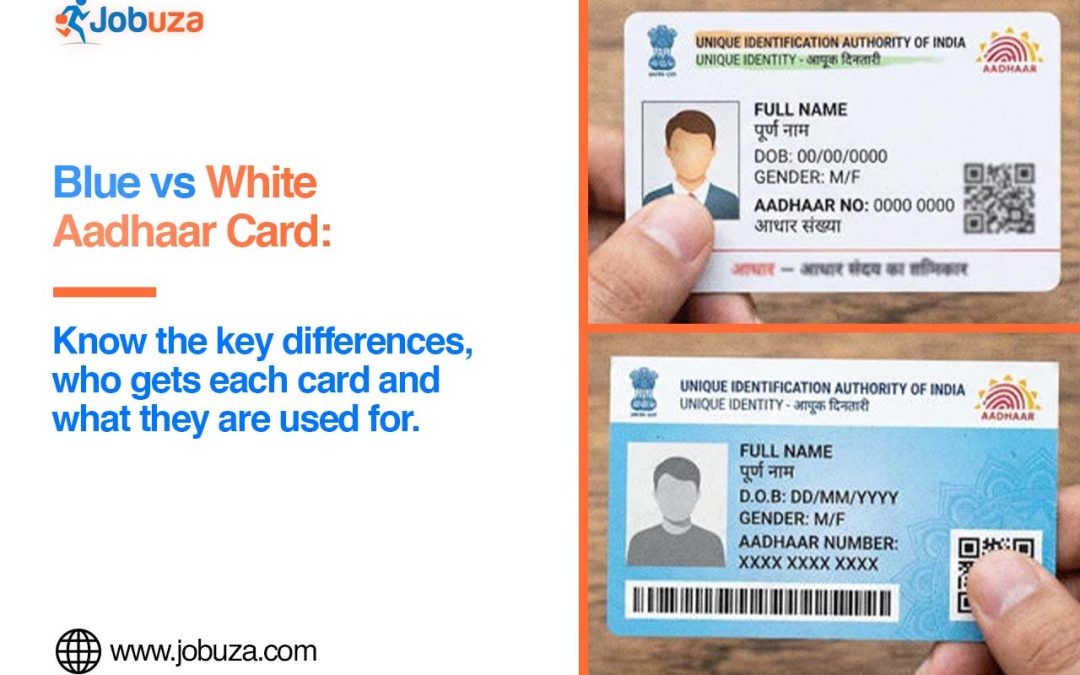
UIDAI issues a blue Aadhaar card, commonly known as Baal Aadhaar, for children below five years of age. The blue colour helps distinguish it from the regular Aadhaar issued to older individuals.
However, the difference is not limited to the colour. The enrolment process, biometric requirements and subsequent updates are also different. Parents should understand these requirements to ensure that their child’s Aadhaar remains updated.
Blue Aadhaar vs Regular Aadhaar: What Is the Difference?
The most important difference between Baal Aadhaar and regular Aadhaar is related to biometric information.
For children below five years, biometric information such as fingerprints and iris scans is not captured during Aadhaar enrolment. Instead, the child’s photograph and demographic details are recorded, and the Aadhaar is linked to the Aadhaar number of a parent or legal guardian.
For individuals aged five years and above, biometric information is captured as part of the Aadhaar enrolment/update process as applicable.
Feature
Blue Aadhaar (Baal Aadhaar)
Regular Aadhaar
Age
Children below 5 years
Individuals aged 5 years and above
Colour
Blue
White
Fingerprints
Not collected at initial enrolment
Collected as applicable
Iris scan
Not collected at initial enrolment
Collected as applicable
Photograph
Required
Required
Parent’s Aadhaar
Linked for the child
Individual Aadhaar
Biometric update
Required after turning 5
Further mandatory biometric update at age 15
Why Does a Child’s Aadhaar Not Include Biometrics?
Young children’s fingerprints and iris patterns are still developing. Therefore, biometric information is not captured when Aadhaar is initially enrolled for a child below five years of age.
Instead, the child’s Aadhaar is created using demographic information and a photograph, along with the Aadhaar details of a parent or legal guardian as prescribed.
Once the child reaches the applicable age, biometric details need to be updated.
When Should Baal Aadhaar Be Updated?
A child’s Aadhaar requires a biometric update after the child turns five years old. At this stage, the required biometric information is captured and updated in the Aadhaar record.
Another mandatory biometric update is required when the child reaches 15 years of age.
Parents should ensure that these updates are completed within the prescribed timelines so that the Aadhaar information remains current.
Is Baal Aadhaar a Separate Aadhaar Number?
No. Baal Aadhaar is not a different type of identification number. It is an Aadhaar issued to a child, with the enrolment process and biometric requirements differing because of the child’s age.
The child’s Aadhaar can initially be linked to a parent’s Aadhaar as part of the enrolment process. After the required biometric update, the Aadhaar record is updated with the child’s biometric information.
How to Apply for Baal Aadhaar?
Parents or guardians can enrol their child for Aadhaar by visiting an Aadhaar enrolment centre.
The basic process includes:
Visit an Aadhaar enrolment centre or use the UIDAI appointment facility where available.
Carry the child’s required birth or identity document.
Carry the Aadhaar details of the parent or legal guardian, as applicable.
Submit the child’s demographic details during enrolment.
The child’s photograph will be captured at the enrolment centre.
Complete the verification and enrolment process.
Keep the acknowledgement slip safely to track the enrolment status.
Parents should check the latest UIDAI requirements before visiting the enrolment centre, as the documents required can depend on the child’s circumstances.
Is Baal Aadhaar Enrolment Free?
Yes, UIDAI provides Aadhaar enrolment for children and the mandatory biometric updates at the specified ages without an enrolment/update fee under the applicable rules.
Parents should nevertheless verify the latest fee and service requirements on the official UIDAI website before visiting an Aadhaar centre.
Why Is the Biometric Update Important?
The biometric update is important because a child’s biometric characteristics develop as they grow. Updating the Aadhaar record ensures that the biometric information associated with the Aadhaar reflects the child’s current details.
Parents should therefore keep track of the child’s age and complete the required biometric updates at the prescribed stages.
Key Points Parents Should Remember
Blue Aadhaar is commonly known as Baal Aadhaar.
It is issued for children below five years of age.
Biometrics are not collected during the initial enrolment of a child below five.
The child’s Aadhaar can be linked with a parent’s Aadhaar as prescribed.
Biometric information needs to be updated after the child turns five.
Another mandatory biometric update is required at the age of 15.
Parents should keep the child’s Aadhaar details updated and follow the latest UIDAI instructions.
Understanding these differences can help parents complete their child’s Aadhaar enrolment and biometric updates at the right time and avoid problems caused by outdated information.
Getting a PAN card has become much easier with the Income Tax Department’s online services. Individuals who meet the required eligibility conditions can now apply for an Instant e-PAN from home using their Aadhaar card. The entire process is digital, paperless, and free of cost, allowing eligible applicants to receive their e-PAN within a short time.
If you are planning to apply for a new PAN card, here’s everything you need to know about the eligibility requirements, online application process, and important points to remember.
What Is an Instant e-PAN?
An Instant e-PAN is a digitally generated Permanent Account Number (PAN) issued by the Income Tax Department. It is created using Aadhaar-based e-KYC and is available in digital format. Eligible applicants can download the e-PAN online without visiting any government office.
Who Can Apply for an Instant PAN Card?
Before applying, make sure you meet the following eligibility conditions:
You must be an Indian citizen.
You should be at least 18 years of age.
You must have a valid Aadhaar card.
Your Aadhaar should not already be linked to another PAN card.
Your mobile number must be linked with your Aadhaar for OTP verification.
Applicants who do not meet these conditions may not be able to complete the Instant e-PAN application process.
Documents Required
The Instant e-PAN facility requires minimal documentation. Generally, you only need:
Aadhaar Card
Aadhaar-linked mobile number
Stable internet connection
Since the process is Aadhaar-based, no additional physical documents are required during the online application.
How to Apply for an Instant PAN Card Online
Eligible applicants can complete the application by following these simple steps:
Step 1: Visit the official Income Tax e-Filing portal.
Step 2: On the homepage, locate the Quick Links section and click on Instant e-PAN.
Step 3: Select the Get New e-PAN option.
Step 4: Enter your 12-digit Aadhaar number and accept the declaration.
Step 5: Verify your identity by entering the OTP sent to your Aadhaar-registered mobile number.
Step 6: After successful verification, the system will automatically fetch your details from the Aadhaar database.
Step 7: Carefully review your personal information, including your name, date of birth, photograph, and address.
Step 8: Submit the application.
How to Download Your Instant e-PAN
After submitting the application successfully, a unique acknowledgement or receipt number will be generated.
Once your e-PAN is issued, you can:
Visit the Income Tax e-Filing portal.
Open the Instant e-PAN section.
Select the option to download your e-PAN.
Verify your identity using Aadhaar and OTP.
Download the e-PAN in PDF format.
Benefits of Instant e-PAN
Applying for an Instant e-PAN offers several advantages, including:
Completely online application process.
No physical paperwork required.
Free service for eligible applicants.
Aadhaar-based identity verification.
Digital PAN available for immediate use after issuance.
Saves time compared to the traditional PAN application process.
Important Points to Remember
Before submitting your application, keep these points in mind:
Ensure your Aadhaar details are accurate and up to date.
Your Aadhaar-linked mobile number must be active to receive OTPs.
Do not apply if you already have a valid PAN card.
Verify all information carefully before final submission.
Keep your acknowledgement number safe for future reference.
Final Words
The Instant e-PAN facility has made applying for a PAN card faster and more convenient than ever. Eligible applicants can complete the entire process online using their Aadhaar card without visiting any office or submitting physical documents. Before applying, ensure your Aadhaar information is correct and your mobile number is linked to avoid delays during verification. This simple digital service helps individuals obtain a PAN card quickly for banking, taxation, and other financial purposes.
The Aadhaar card is one of the most important identity documents for Indian residents. It is widely used for banking services, government schemes, income tax filing, mobile SIM verification, passport applications, and various other official purposes. Keeping your Aadhaar information accurate is essential to avoid delays in verification and ensure uninterrupted access to important services.
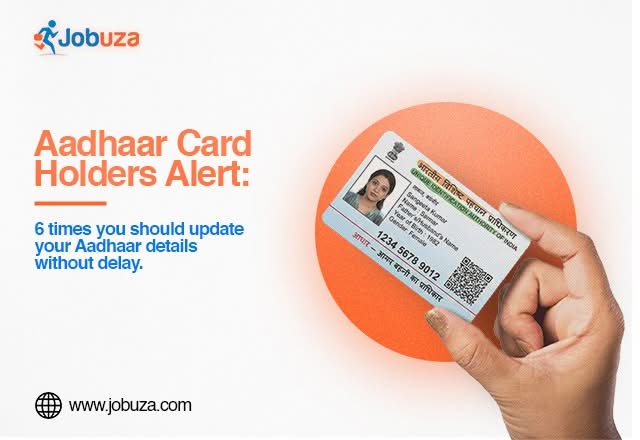
If your personal details have changed over time, updating your Aadhaar should be a priority. Here are six situations where you should consider updating your Aadhaar card without delay.
1. You Have Changed Your Residential Address
If you have moved to a new home, city, or state, updating your address in Aadhaar is important. An incorrect address may create issues during KYC verification, banking services, loan applications, insurance, and government benefit transfers.
2. Your Registered Mobile Number Has Changed
Your Aadhaar-linked mobile number is required to receive OTPs for authentication and online services. If your previous mobile number is no longer active or you have switched to a new one, update it as soon as possible to continue accessing Aadhaar-related services without interruption.
3. There Is an Error in Your Personal Information
Incorrect details such as your name, date of birth, or gender can lead to verification failures. Even a minor spelling mistake may create problems while applying for financial services, passports, or government schemes. If you notice any incorrect information, request a correction immediately.
4. Your Biometric Details Need an Update
Biometric information, including fingerprints, iris scans, and photographs, should be updated whenever required. Children are required to update their biometrics after reaching the prescribed age, while adults may also need biometric updates if fingerprint or iris authentication repeatedly fails.
5. Your Photograph Is Outdated
Although an old photograph does not affect the validity of your Aadhaar card, updating it can make identity verification easier. If your appearance has changed significantly over the years, replacing your Aadhaar photo can help avoid confusion during document verification.
6. You Are Facing Aadhaar Authentication Issues
Repeated authentication failures while accessing banking services, telecom facilities, government subsidies, or digital services may indicate that your Aadhaar details require an update. Refreshing your demographic or biometric information can help resolve these issues.
Documents Required for Aadhaar Update
Depending on the type of correction, you may need the following documents:
Aadhaar Card
Valid Proof of Identity (POI)
Valid Proof of Address (POA)
Date of Birth proof (if applicable)
Supporting documents for name change or other corrections
Make sure all documents are valid and match the details you want to update.
Benefits of Keeping Aadhaar Updated
Maintaining accurate Aadhaar information offers several advantages, including:
Smooth KYC verification for banks and financial institutions.
Faster access to government welfare schemes and subsidies.
Hassle-free banking, insurance, and investment services.
Easy mobile SIM activation and verification.
Reduced chances of authentication failures.
Quicker processing of official applications and document verification.
Things to Check Before Applying
Before submitting your Aadhaar update request, carefully verify all the information and keep the required documents ready. Double-check spellings, dates, and address details to avoid rejection or unnecessary delays during the verification process.
Final Words
Aadhaar is linked to many essential public and private services, making it one of the most important identity documents in India. Keeping your Aadhaar details updated helps ensure smooth verification, uninterrupted access to banking and government services, and fewer authentication-related issues. Regularly reviewing your Aadhaar information and updating it whenever necessary can save time and prevent avoidable complications in the future.
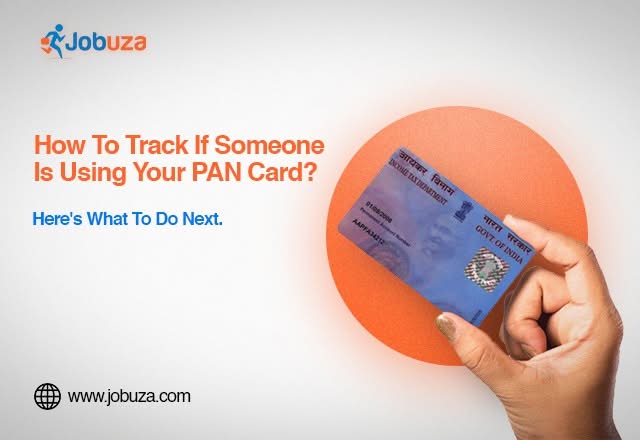
A PAN (Permanent Account Number) card is one of the most important financial documents in India. It is required for filing income tax returns, opening bank accounts, investing in financial products, purchasing property, and completing several high-value transactions. Since PAN is linked to many financial activities, it has also become a common target for fraudsters.
If someone misuses your PAN card, it could lead to serious financial and legal issues, including fraudulent loans, unauthorized bank accounts, fake tax filings, or identity theft. Knowing how to check your PAN card activity can help you identify suspicious transactions early and take timely action.
Why PAN Card Security Is Important
Your PAN card acts as a unique financial identity. If it falls into the wrong hands, fraudsters may misuse it for various illegal activities, such as:
Applying for loans in your name
Opening unauthorized bank accounts
Filing fake income tax returns
Committing identity theft
Carrying out fraudulent financial transactions
Regularly monitoring your financial records can help prevent such misuse.
How to Check If Your PAN Card Has Been Misused
One of the easiest ways to detect PAN card misuse is by checking your credit report. A credit report contains information about loans, credit cards, and other borrowing activities linked to your PAN.
If you notice any loan or credit account that you did not apply for, it may indicate unauthorized use of your PAN details.
Check Your Credit Score Online
You can access your credit score and credit report through various digital platforms or authorized credit bureaus.
To check your credit report:
Step 1: Open a trusted financial app or visit an authorized credit bureau website.
Step 2: Select the Credit Score or Credit Report option.
Step 3: Enter the required details, including your PAN and registered mobile number.
Step 4: Complete the identity verification process.
Step 5: Review your credit report carefully and check all active loans, credit cards, and financial accounts.
If you find any unfamiliar loan or credit facility, investigate it immediately.
Warning Signs of PAN Card Misuse
Watch out for these signs that may indicate your PAN has been misused:
Unknown loans appearing in your credit report
Credit cards you never applied for
Unexpected recovery calls from banks or lenders
Incorrect financial information in your credit history
Tax notices related to transactions you never made
Ignoring these warning signs could lead to financial complications in the future.
What Should You Do If You Find Unauthorized Activity?
If you discover any suspicious transaction linked to your PAN card, take immediate action.
You should:
Contact the concerned bank or financial institution.
Raise a dispute with the credit bureau.
Report the matter to the Income Tax Department if tax-related misuse is involved.
File a complaint with the local cybercrime authorities if identity theft is suspected.
Keep records of all communications and complaint reference numbers.
Prompt reporting can help prevent further misuse and protect your financial identity.
Tips to Protect Your PAN Card
To keep your PAN details secure, follow these precautions:
Do not share your PAN card with unknown individuals or unverified websites.
Use only trusted platforms for financial transactions.
Regularly monitor your credit report.
Keep your registered mobile number and email updated.
Verify the authenticity of websites before uploading PAN documents.
Never share OTPs or confidential financial information with anyone.
Final Words
Your PAN card is one of your most valuable financial documents, and protecting it should be a priority. Regularly checking your credit report and monitoring financial activity can help you identify unauthorized transactions before they become major problems. If you notice any suspicious activity linked to your PAN, report it immediately to the concerned authorities and financial institutions to safeguard your identity and financial records.
A Permanent Account Number (PAN) is one of the most important identity and financial documents for taxpayers in India. It is required for filing Income Tax Returns (ITR), opening bank accounts, investing in financial products, purchasing property, and completing various high-value financial transactions.
If your PAN details are incorrect, outdated, or mandatory information is not updated, you may face issues while completing tax-related and banking activities. Before filing your ITR or carrying out any major financial transaction, it is important to verify that your PAN is active and all the information is accurate.
Why Is a PAN Card Important?
A PAN is issued by the Income Tax Department and serves as a unique identification number for taxpayers. It helps maintain transparency in financial transactions and enables the government to track taxable income.
A PAN card is commonly required for:
Filing Income Tax Returns (ITR)
Opening eligible bank accounts
Buying or selling property
Investing in mutual funds, shares, and other securities
Carrying out high-value financial transactions
Completing Know Your Customer (KYC) verification
Keeping your PAN details updated helps ensure smooth access to these financial services.
Check Your PAN-Aadhaar Linking Status
PAN-Aadhaar linking is mandatory for eligible taxpayers under the applicable rules.
If your PAN is not linked with Aadhaar where required, you may face restrictions while filing your income tax return or using certain financial services. Therefore, it is advisable to verify your PAN-Aadhaar linking status and complete the process if it is still pending.
Verify Your Personal Details
Incorrect personal information can create unnecessary delays during verification and financial transactions.
Make sure the following details in your PAN records are correct:
Full name
Date of birth
Father’s name
Residential address
Even minor spelling mistakes or incorrect information may lead to problems during identity verification or KYC processes.
Keep Your Mobile Number and Email ID Updated
Your registered mobile number and email address should always remain up to date.
These contact details help you receive important notifications, OTPs, tax-related alerts, and communication from financial institutions. Updating your contact information also makes it easier to complete online verification whenever required.
Problems Caused by Incorrect PAN Details
Outdated or incorrect PAN information can result in several issues, including:
Delays in filing Income Tax Returns
Problems during bank account verification
Difficulty completing KYC formalities
Delays in processing financial transactions
Issues while investing in financial products
Verification failures with financial institutions
Keeping your PAN information accurate can help avoid these unnecessary complications.
How to Update PAN Card Details
If any information on your PAN card is incorrect or has changed, you can apply for a correction through the authorised PAN service providers.
Common reasons for updating PAN details include:
Change of name after marriage
Change of residential address
Incorrect date of birth
Correction of personal information
Replacement of a lost or damaged PAN card
Applicants should always ensure that the information submitted matches their official supporting documents.
Common PAN Card Mistakes to Avoid
To keep your PAN active and avoid verification issues, remember these important points:
Do not share your PAN details with unknown or untrusted individuals.
Always provide accurate information while requesting corrections.
Do not ignore official notices or updates related to your PAN.
Use only authorised government-approved portals or service providers for PAN-related services.
Verify your PAN details periodically to ensure they remain accurate.
Why You Should Check Your PAN Status Before Filing ITR
Before filing your Income Tax Return or completing important banking and investment transactions, it is advisable to verify your PAN status.
An active and updated PAN helps ensure faster verification, smoother tax filing, hassle-free banking services, and uninterrupted access to financial products. Spending a few minutes checking your PAN details today can help you avoid unnecessary delays and complications in the future.
Final Thoughts
Your PAN card plays a vital role in almost every major financial activity in India. Keeping your PAN active, ensuring that your personal information is correct, and completing mandatory updates such as PAN-Aadhaar linking can help prevent problems during ITR filing, banking, KYC verification, and investments.
Before your next financial transaction or tax filing, take a moment to verify your PAN details and update any incorrect information. A properly maintained PAN card can save you time and help ensure a seamless financial experience.