by Jobuza Team | Apr 30, 2026 | BLOG, Latest Jobs, UPSC Jobs
The U.P. Co-operative Institutional Service Board has officially released the UPCISB Recruitment 2026 notification for a total of 2085 vacancies across multiple posts. This recruitment drive offers opportunities for candidates interested in banking, administrative, and technical roles. The online application process has already started, and eligible candidates can submit their applications through the official website before the deadline.
This is a significant opportunity for job seekers looking for government jobs in Uttar Pradesh, especially in cooperative institutions.
UPCISB Recruitment 2026 Notification Details
The detailed notification for Manager, Assistant Manager, Assistant Accountant, Junior Assistant, Junior Engineer, Assistant/Cashier, and other posts is available on the official website. Candidates are advised to carefully read the notification before applying to understand eligibility criteria, selection process, and other important instructions.
Important Dates for UPCISB Recruitment 2026
The application process has begun, and candidates must complete their registration within the given timeline.
Opening Date for Application: April 25, 2026
Last Date to Apply: May 15, 2026
Candidates should avoid last-minute applications to prevent technical issues.
UPCISB Vacancy 2026 Details
A total of 2085 posts will be filled under this recruitment drive. The vacancies are distributed across different roles, offering a wide range of opportunities.
Post Name and Vacancies:
Manager – 65
Junior Manager – 486
Clerk – 887
Assistant Manager – Multiple posts
Cashier – 66
Accountant – 24
Assistant Accountant – 34
Accounting Clerk – 2
Stenographer – 23
Junior Assistant – 45
Assistant – 51
Assistant Engineer – 252
Candidates can refer to the official notification for category-wise and institution-wise vacancy details.
Role-wise Distribution of Posts
The recruitment includes positions across different functional areas.
Banking Roles include Manager, Junior Manager, and Assistant/Cashier positions mainly for District Co-operative Banks.
Technical and Specialized Roles include Assistant Manager (Computer), Assistant Engineer, and Junior Engineer in Civil and Electrical fields.
Administrative Roles include Accountant, Assistant Accountant, Stenographer, and Junior Assistant positions.
Eligibility Criteria for UPCISB Recruitment 2026
Candidates must ensure they meet all eligibility conditions before applying.
Educational Qualification varies depending on the post. Candidates should have relevant degrees such as graduation, engineering, or equivalent qualifications from a recognized institution.
Age Limit will be as per government norms, and relaxation will be applicable for reserved categories.
How to Apply Online for UPCISB Recruitment 2026
Candidates can apply online by following a simple process through the official website.
Visit the official website at upcisb.upsdc.gov.in
Click on the recruitment link available on the homepage
Register using basic details
Fill in the application form carefully
Upload required documents
Submit the application form
Take a printout for future reference
Selection Process
The selection process is expected to include written examination, followed by document verification and other stages as specified in the official notification.
Why Apply for UPCISB Jobs 2026
This recruitment offers stable government job opportunities with good career growth. With a large number of vacancies across various departments, candidates from different educational backgrounds can find suitable roles. It also provides a chance to work in cooperative banking and administrative sectors in Uttar Pradesh.
Final Words
UPCISB Recruitment 2026 is a great opportunity for candidates aiming for government jobs in the banking and cooperative sector. Interested applicants should carefully review the notification and apply within the deadline to avoid missing out.
For complete details and to apply online, candidates should visit the official website and stay updated with further announcements.
by Jobuza Team | Apr 29, 2026 | BLOG, Latest Jobs
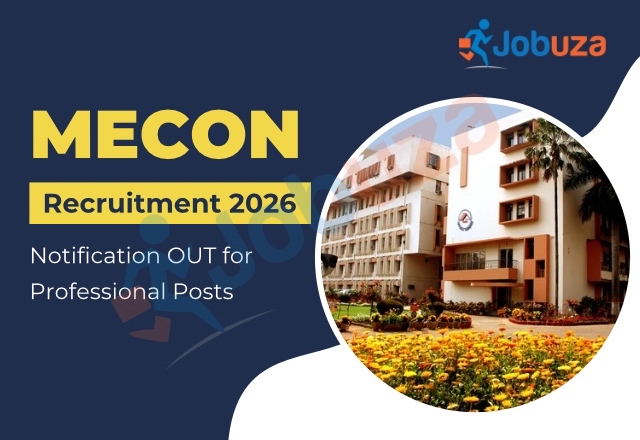
MECON Recruitment 2026: MECON Limited, a premier Miniratna, Schedule ‘A’ Government of India enterprise under the Ministry of Steel, has released an official notification for the recruitment of Professional posts. This recruitment drive aims to fill a total of 103 vacancies on a Full Time Fixed Tenure (FTFT) contract basis.
Interested and eligible candidates can apply online through the official website before the last date, May 11, 2026. Candidates are advised to carefully check all eligibility conditions before applying.
MECON Recruitment 2026 Notification
The detailed notification for MECON Professional Recruitment 2026 is available on the official website. It includes complete information about vacancies, eligibility criteria, selection process, and application guidelines.
Candidates should download and read the official notification PDF thoroughly before proceeding with the application process.
MECON Recruitment 2026 Important Dates
- Last Date to Apply Online: May 11, 2026
- Walk-in Interview Dates: To be announced on the official website
MECON Vacancy 2026 Details
Under this recruitment drive, MECON Limited will fill a total of 103 Professional posts. The detailed, discipline-wise vacancy distribution is available in the official notification.
- Total Posts: 103 (Professional)
MECON Recruitment 2026 Eligibility Criteria
Candidates must ensure that they meet all the eligibility conditions mentioned in the official notification. This includes educational qualifications, work experience (if required), and age limit.
Applicants must also keep all relevant documents ready as proof of eligibility at the time of the walk-in interview.
MECON Selection Process 2026
The selection process for MECON Recruitment 2026 will be based on walk-in interviews.
Shortlisted candidates will be called to appear for interviews in cities such as Delhi, Ranchi, Kolkata, and Bangalore. The exact date, time, and venue details will be updated on the careers page of MECON’s official website.
The final selection list will be published online, and selected candidates will also be informed via their registered email IDs.
How to Apply for MECON Recruitment 2026
Candidates can apply online by following these steps:
- Visit the official website: https://careers.meconlimited.co.in/
- Click on the “MECON Recruitment 2026” link on the homepage
- Fill in the required details carefully
- Submit the application form
- Upload the necessary documents as per instructions
- Take a printout of the application form for future reference
Important Instructions
Before applying, candidates should ensure that they fulfill all eligibility criteria mentioned in the official notification. Any mismatch in information or lack of proper documentation may lead to disqualification.
It is also recommended to regularly check the official website for updates regarding interview schedules and other important announcements.
by Jobuza Team | Apr 29, 2026 | BLOG, Trending News
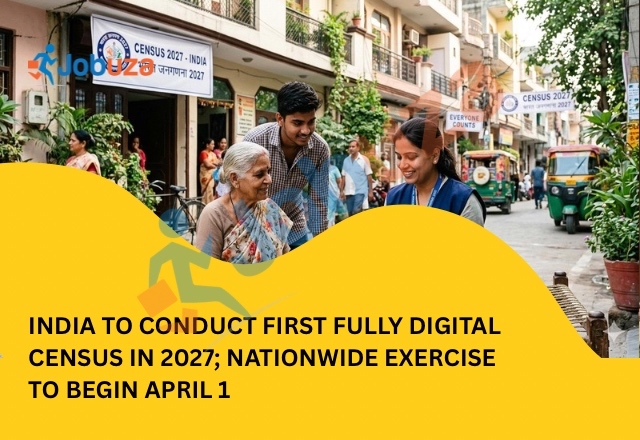
India is set to conduct its first fully digital population census, marking a major shift in how data is collected across the country. According to the Registrar General and Census Commissioner, Mritunjay Kumar Narayan, the first phase of Census 2027 will begin on April 1, 2026.
This will be India’s 16th census since its inception and the eighth after Independence. It is expected to be the largest census exercise in the world, involving more than 3 million enumerators, supervisors, and officials.
First Digital Census with Self-Enumeration Facility
For the first time, the census process will be conducted using digital tools. Enumerators will collect data through mobile applications instead of traditional paper-based methods. In addition, citizens will have the option to complete their details online through a secure self-enumeration portal.
This self-enumeration feature allows households to fill in their information at their convenience before the official visit. Once the data is submitted, a unique Self-Enumeration ID will be generated, which must be shared with the enumerator for verification.
The online portal will be available in multiple languages, making it accessible to a wider population. Authorities have also confirmed that strong security measures have been implemented to protect user data.
How the Self-Enumeration Process Works
The process is simple and designed for ease of use. Citizens can log in to the official portal using their mobile number and basic details. After identifying their location, they can fill in household information and submit it online.
Once completed, the system generates a Self-Enumeration ID. This ID is then provided to the enumerator during their visit, ensuring that the data is verified and included in the final census records.
Two-Phase Census Structure
Census 2027 will be conducted in two major phases.
The first phase, known as the House Listing and Housing Census, will take place between April and September 2026. This phase will collect data related to housing conditions, household assets, and basic amenities.
The second phase, Population Enumeration, is scheduled for February 2027. During this phase, detailed information about individuals will be collected, including demographic, socio-economic, and educational data. Caste-related data will also be gathered in this stage.
Timeline and Coverage Across India
The census will be conducted in a staggered manner across different states and Union Territories. Each region will have a specific schedule, along with a 15-day self-enumeration window before the house-listing phase begins.
Certain regions such as Andaman and Nicobar Islands, Delhi, Goa, Karnataka, Lakshadweep, Mizoram, Odisha, and Sikkim will begin early in April 2026, while other states will follow in subsequent phases.
The reference date for most of the country will be March 1, 2027. However, snow-bound regions like Ladakh and parts of Jammu and Kashmir, Himachal Pradesh, and Uttarakhand will follow an earlier reference date of October 1, 2026.
Scale, Budget and Digital Infrastructure
The government has allocated a budget of over ₹11,700 crore for this massive exercise. The census will cover all 36 states and Union Territories, including thousands of towns and nearly 6.4 lakh villages.
A strong digital ecosystem has been developed to support the process. This includes mobile applications for data collection, online portals for self-enumeration, and real-time monitoring systems to track progress.
Extensive training programs have also been conducted to ensure smooth execution. From national trainers to field-level enumerators, lakhs of personnel are being trained in multiple languages to handle the process efficiently.
Pre-Test and Preparation
Before the official rollout, a nationwide pre-test was conducted in November 2025. This trial covered around 5,000 census blocks and helped validate the digital tools, methodology, and training systems.
The successful pre-test has increased confidence in the system and ensured that the final execution will be more accurate and efficient.
Final Thoughts
Census 2027 represents a major step forward in India’s data collection system. With digital tools, self-enumeration options, and improved infrastructure, the process is expected to be faster, more accurate, and more transparent.
This transformation will not only make participation easier for citizens but also help the government generate reliable data for better policy-making and development planning in the years ahead.

by Jobuza Team | Apr 28, 2026 | BLOG, Latest Jobs
The Uttar Pradesh Subordinate Services Selection Commission has released the official notification for Forest Guard and Wildlife Guard recruitment 2026. This recruitment drive aims to fill a total of 708 posts across the state, offering a great opportunity for candidates preparing for government jobs in Uttar Pradesh.
Only those candidates who have appeared for the Preliminary Eligibility Test 2025 and possess a valid scorecard will be eligible to apply for the main examination. This makes it essential for applicants to have their PET details ready before starting the application process.
Important Dates for UPSSSC Forest Guard Exam 2026
Candidates planning to apply should keep track of the key dates to avoid missing any deadlines. The notification was released on April 23, 2026, while the application process will begin on June 30, 2026. The last date to apply online is July 20, 2026. Applicants will be able to pay the application fee and make corrections in their forms until July 27, 2026.
It is advisable to complete the application process early to avoid last-minute technical issues.
UPSSSC Forest Guard Exam Pattern
The written examination will consist of 100 multiple-choice questions carrying a total of 100 marks. Candidates will be given a duration of two hours to complete the exam.
There will be a negative marking of 0.25 marks for each incorrect answer. The question paper will include sections such as subject knowledge, basic mathematics and biology, computer awareness, and general knowledge related to Uttar Pradesh.
Selection Process for Forest Guard Recruitment
The selection process will begin with the written examination. Candidates who qualify will move on to the next stages, which include Physical Standards Test, Physical Efficiency Test, and Medical Examination.
Final selection will be based on overall performance across all stages of the recruitment process.
How to Apply for UPSSSC Forest Guard Recruitment 2026
To apply, candidates need to visit the official website of UPSSSC and navigate to the “Live Advertisement” section. From there, they can select the relevant notification link.
Applicants must log in using their PET 2025 registration number and OTP. After logging in, they should fill in the application form carefully and upload all required details.
The application fee can be paid through online payment modes or e-challan. Once the form is submitted, candidates should download and keep a copy of the application for future reference.
Final Words
The UPSSSC Forest Guard Recruitment 2026 is a valuable opportunity for candidates looking to secure a government job in the forest department. With 708 vacancies and a structured selection process, eligible candidates should prepare well and apply within the given timeline.
Ensuring accuracy in the application form and early submission can help avoid unnecessary issues later in the process.

by Jobuza Team | Apr 28, 2026 | BLOG, Latest Jobs, PSU Jobs
The Sashastra Seema Bal has extended the application deadline for Constable (Tradesman) recruitment 2026, giving candidates more time to apply for 1,194 vacancies. Those who missed the earlier deadline can now submit their applications online until May 4, 2026 through the official website.
This recruitment drive includes multiple posts such as Driver, Cook, Barber, Washerman, Safaiwala, and other non-GD trades. Candidates who faced issues earlier while submitting forms or uploading documents now have another opportunity to complete the process.
Extended Deadline and Correction Window Details
As per the latest update, the last date to apply has been extended from April 20 to May 4, 2026. After the application window closes, candidates will also get a chance to make corrections in their submitted forms.
The correction window will remain open from May 6 to May 8, 2026. During this period, applicants can fix any errors related to personal details, uploaded documents, or other information.
SSB Tradesman Recruitment 2026 Overview
This recruitment aims to fill a total of 1,194 posts under different trades. Selected candidates will be placed under Pay Level-3, with a salary ranging from ₹21,700 to ₹69,100 along with additional benefits as per government norms.
Candidates are advised to complete their applications well before the deadline to avoid last-minute technical issues.
Eligibility Criteria for SSB Tradesman Posts
Applicants must meet the required educational qualifications and age criteria before applying.
For the Driver post, candidates must have passed Class 10 and possess a valid Heavy Motor Vehicle driving licence. For trades such as Cook, Barber, and others, candidates should be 10th pass along with either two years of work experience in the relevant trade or a one-year ITI certificate with one year of experience.
For Veterinary posts, candidates must have passed Class 10 with Science as a subject, and relevant experience in handling animals is preferred.
The age limit varies depending on the post. For Driver and Veterinary roles, candidates should be between 18 and 27 years. For other trades, the age limit generally ranges between 18 and 23 or 25 years. Age relaxation will be provided as per government rules.
How to Apply for SSB Tradesman Recruitment 2026
Candidates can apply online by visiting the official website of SSB. On the homepage, click on the recruitment or apply online section.
First, complete the registration process using a valid mobile number and email ID. After receiving login credentials, fill out the application form with personal and educational details.
Upload the required documents, select your preferred post, and pay the application fee if applicable. Once the form is submitted, download and keep a copy of the confirmation page for future reference.
Final Words
The extension of the application deadline offers a valuable opportunity for candidates who could not apply earlier. With a large number of vacancies and multiple trade options, this recruitment drive is a good chance for those looking to join the Sashastra Seema Bal.
Applicants should carefully check the eligibility criteria and complete their application before May 4, 2026 to avoid missing out on this opportunity.
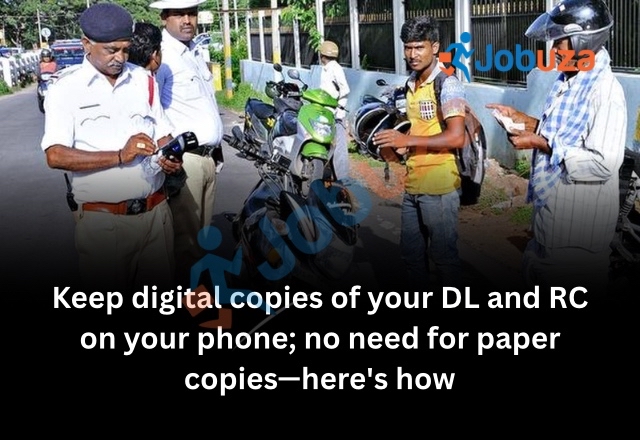
by Jobuza Team | Apr 28, 2026 | BLOG, Trending News
Carrying physical copies of your Driving Licence (DL) and Registration Certificate (RC) is no longer necessary. With the growing adoption of digital services in India, you can now store and access these important documents directly on your smartphone. This not only makes life easier but also ensures that your documents are always safe and available when needed.
Earlier, many people relied on paper copies of their RC and DL, which often led to problems. Documents could get lost, damaged, or simply forgotten at home. Today, government-approved apps like DigiLocker and mParivahan have made it possible to keep everything in digital format.
Why Digital DL and RC Are a Better Choice
One of the biggest advantages of storing your documents digitally is convenience. You no longer need to carry physical copies or worry about misplacing them. Your DL and RC remain securely stored on your phone and can be accessed anytime.
Another important benefit is legal validity. Digital documents issued through official platforms are fully recognized by authorities. During a traffic check, you can simply show your DL or RC from your phone, and it will be accepted without any issues.
Additionally, digital documents are always updated and verified directly from official databases. This reduces the chances of errors and ensures that the information you present is accurate.
Step-by-Step Guide to Save DL and RC on Your Phone
To get started, download either DigiLocker or mParivahan from your app store. Once installed, sign in using your registered mobile number and complete the OTP verification process.
After logging in, navigate to the section where you can add documents. Enter your Driving Licence number and your vehicle’s registration number. The app will automatically fetch your documents from the official government database.
Once the documents appear, save them within the app. This allows you to access them instantly whenever required, even during a traffic inspection.
Important Things You Should Keep in Mind
While using digital documents, make sure they are fetched directly from official sources within the app. Documents that are manually scanned and uploaded may not always be considered valid.
Officially issued digital copies are more reliable and carry higher authenticity. This is why it is always recommended to use trusted government apps rather than storing simple images or PDFs.
Final Thoughts
Switching to digital DL and RC is a smart and practical step for every vehicle owner. It saves time, reduces stress, and ensures that your documents are always safe and accessible. With legal acceptance and easy access, digital storage is quickly becoming the preferred way to manage important vehicle documents.