by Jobuza Team | Jun 30, 2026 | BLOG, PAN/Aadhar Card Updates, Trending News
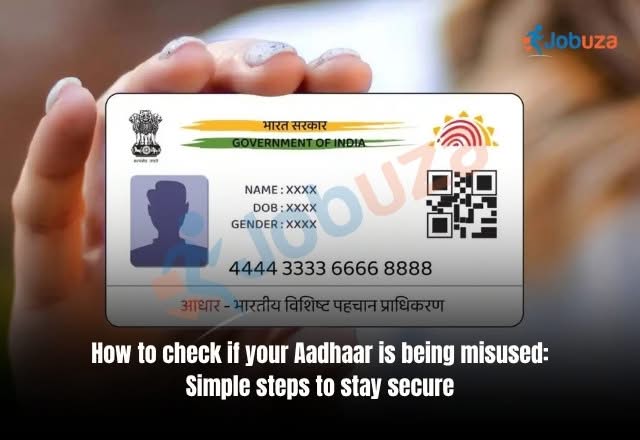
aadhaar card misuse: Aadhaar has become one of the most important identity documents in India and is widely used for various services such as banking, mobile SIM verification, government schemes, and financial transactions.
aadhaar card misuse: While Aadhaar makes identity verification easier, improper sharing of Aadhaar details or using biometric authentication on unknown platforms can increase the risk of identity fraud.
If you are worried that someone may be using your Aadhaar details without your permission, you can check your Aadhaar authentication history and take necessary security measures.
What Is Aadhaar Authentication History?
Whenever your Aadhaar number is used for identity verification, a digital record is generated. This verification may happen through:
- OTP-based authentication
- Fingerprint authentication
- Iris authentication
- Other biometric verification methods
This digital record is called Aadhaar Authentication History.
UIDAI provides this facility so Aadhaar holders can check when and where their Aadhaar was used for authentication.
Why Should You Check Aadhaar Authentication History?
Regularly checking your Aadhaar usage history helps you identify any suspicious or unauthorized activity linked to your identity.
The authentication history includes details such as:
- Date and time of authentication
- Type of authentication method used
- Records of previous authentication attempts
- Activity details from the last six months
By reviewing these details, users can quickly detect if their Aadhaar information has been used without their knowledge.
How to Check Aadhaar Usage History Online
Aadhaar holders can check their authentication history through UIDAI services and the mAadhaar application.
Follow these steps:
- Download the mAadhaar app from Google Play Store or Apple App Store.
- Login using your Aadhaar number.
- Verify your identity through OTP sent to your registered mobile number.
- Create a secure 4-digit PIN for accessing Aadhaar services.
- Open the My Aadhaar section.
- Enter your security PIN.
- Select the Security option.
- Choose Aadhaar Authentication History.
- Select the required date range to view details.
After completing these steps, you can check all recent authentication activities linked to your Aadhaar number.
What to Do If You Find Suspicious Aadhaar Activity?
If you notice any unknown authentication record or activity that you do not recognize, take immediate action.
Here are some steps you can follow:
- Contact the UIDAI helpline number 1947 and report the issue.
- Lock your Aadhaar biometric information using the mAadhaar app.
- Keep checking your Aadhaar authentication history regularly.
- Avoid sharing Aadhaar details with unknown individuals or websites.
Quick action can help reduce the chances of identity misuse and financial fraud.
Important Tips to Keep Your Aadhaar Details Safe
To protect your Aadhaar information, follow these security practices:
Avoid Unnecessary Sharing of Aadhaar Copies
Do not share Aadhaar photocopies unless it is absolutely required. Always verify why your Aadhaar details are being requested.
Use Masked Aadhaar
Whenever possible, use a Masked Aadhaar that hides the first eight digits of your Aadhaar number while showing only the last four digits.
Enable Biometric Lock
Locking your biometric details adds an extra layer of security and prevents unauthorized fingerprint or iris authentication.
Verify Service Providers Before Sharing Details
Always check the authenticity of banks, companies, websites, or agencies asking for your Aadhaar information.
Why Aadhaar Monitoring Is Important
With increasing digital transactions and online services, protecting your identity has become more important than ever.
Regularly checking your Aadhaar authentication history helps you stay aware of how your personal information is being used. It also allows you to take quick action if any unauthorized activity is detected.
A small step like monitoring Aadhaar usage can help protect your identity, personal information, and financial security in the digital age.
by Jobuza Team | May 15, 2026 | BLOG, PAN/Aadhar Card Updates, Trending News
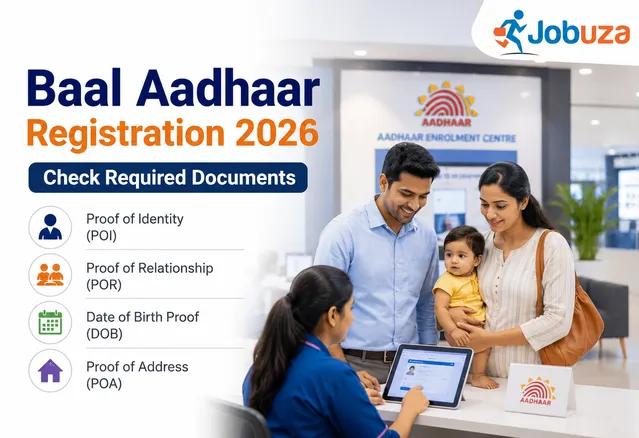
Unique Identification Authority of India issues Aadhaar cards to residents of India without any age restriction. This means even a newborn baby can be enrolled for Aadhaar through the Baal Aadhaar scheme.
Baal Aadhaar is specially designed for children below five years of age and serves as an important identity document for school admissions, government schemes, healthcare services, and other official purposes.
Parents can apply for their child’s Aadhaar free of cost at authorised Aadhaar enrolment centres.
Documents Required for Baal Aadhaar Registration
To enrol a child below the age of five years for Aadhaar, parents generally need:
- Child’s Birth Certificate
- Hospital discharge slip in case of newborns
- Aadhaar card of one parent or guardian
Apart from these, UIDAI also accepts several other documents under different categories such as identity proof, relationship proof, date of birth proof, and address proof.
Proof of Identity Documents Accepted for Baal Aadhaar
The following documents can be used as Proof of Identity (POI) for Aadhaar enrolment:
- Passport
- PAN Card
- Voter ID
- Driving Licence
- Ration Card with photograph
- Government photo ID cards
- NREGS Job Card
- Educational institution photo ID
- Bank passbook with photograph
- Pensioner photo card
- Kissan photo passbook
- CGHS or ECHS card
- Disability ID card
- Jan Aadhaar or Bhamashah card
- School Leaving Certificate with photograph
- School Transfer Certificate
- Gazette notification for name change
- Marriage certificate with photograph
UIDAI also accepts certificates issued by gazetted officers, village panchayat heads, MPs, MLAs, and recognised institutions in prescribed formats.
Proof of Relationship Documents for Child Aadhaar
For children below five years, parents may need to submit Proof of Relationship (POR) documents showing the connection between the child and the Head of Family.
Accepted documents include:
- Birth Certificate
- Passport
- PDS Card
- Pension Card
- Army Canteen Card
- Government-issued family entitlement documents
- Marriage Certificate
- Hospital discharge slip for newborn child
- Jan Aadhaar or Bhamashah Card
Certificates issued by local authorities or government officials may also be accepted.
Date of Birth Documents Required for Aadhaar
The following documents are accepted as valid proof of date of birth:
- Birth Certificate
- Passport
- PAN Card
- School records
- School Leaving Certificate
- Marksheet issued by government board or university
- Government-issued ID containing date of birth
- Educational institution ID card
- EPFO certificate
The Birth Certificate remains the most commonly used document for children below five years.
Proof of Address Documents Accepted
Parents or guardians may also need to provide address proof while applying for Baal Aadhaar.
Accepted Proof of Address (POA) documents include:
- Passport
- Bank passbook or statement
- Post office account statement
- Ration Card
- Voter ID
- Driving Licence
- Electricity bill
- Water bill
- Telephone bill
- Gas connection bill
- Insurance policy
- Registered rent agreement
- Vehicle registration certificate
- Parent’s passport in case of minors
- School identity card
- Jan Aadhaar card
Certificates issued by government authorities, village panchayats, municipal councillors, or educational institutions are also accepted in some cases.
Important Things Parents Should Know
Children below five years are not required to provide biometric details such as fingerprints or iris scans during initial enrolment. Only a facial photograph is captured at the time of registration.
Once the child turns five years old, biometric details must be updated mandatorily. Another biometric update is required again after the age of 15 years.
How To Apply for Baal Aadhaar
Parents can visit the nearest Aadhaar enrolment centre with the required documents and complete the application process.
The enrolment process usually includes:
- Filling the Aadhaar enrolment form
- Providing parent or guardian Aadhaar details
- Submitting supporting documents
- Capturing the child’s photograph
After verification, the Baal Aadhaar is generated and delivered to the registered address.
Parents are advised to carry original documents for verification during the enrolment process.
Read More Trending News Updates
by Jobuza Team | May 8, 2026 | BLOG, PAN/Aadhar Card Updates, Trending News
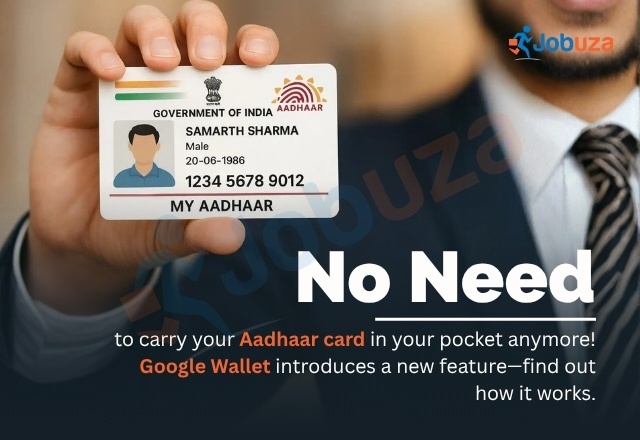
Google has introduced support for Aadhaar-based digital IDs in India through Google Wallet, allowing users to securely store their Aadhaar details digitally. With this new feature, users may no longer need to carry a physical Aadhaar card everywhere for identity verification.
The feature has been launched in partnership with the Unique Identification Authority of India (UIDAI). After adding Aadhaar to Google Wallet, users can verify their identity digitally in a secure and controlled manner.
Google Wallet Aadhaar Feature Explained
One of the biggest advantages of this feature is enhanced privacy and security. Instead of sharing the complete Aadhaar card every time, users can now choose to share only the required information.
The system works on a “Verifiable Credentials” model. This means if a service only requires age verification or identity confirmation, users can share just that specific detail without exposing their full Aadhaar number or other personal information.
This selective sharing system reduces the risk of data misuse and provides better control over personal information.
Share Only the Information You Want
According to Google, the feature follows international security standards and includes a “selective disclosure” capability. This gives users full control over what information they want to share during verification.
For example, if a platform only needs to confirm whether a user is above a certain age, only the age-related data can be shared instead of the complete Aadhaar details.
This approach makes digital verification safer and more convenient for users.
Where the New Aadhaar Feature Can Be Used
Google has partnered with multiple platforms to support this digital identity feature. Users will be able to use Aadhaar verification for several online and offline services.
Some of the supported use cases include:
- Age verification while booking movies on PVR INOX
- Identity verification on BharatMatrimony
- Faster visa application processing on Atlys
- Visitor verification through MyGate
Google has also stated that more platforms and services are expected to adopt this system in the coming months.
Google Expanding Digital ID Services Globally
Along with India, Google is expanding its digital ID capabilities to other countries including Singapore, Taiwan, and Brazil. In these countries, users will be able to store passport-based digital IDs inside Google Wallet.
This move reflects Google’s broader push toward secure digital identity management worldwide.
Why This Feature Matters
The Aadhaar digital ID feature in Google Wallet is expected to improve both convenience and security for millions of users in India. It reduces the need to repeatedly carry and present physical identity documents while also giving users greater control over their personal data.
As digital verification becomes more common across services and applications, features like selective disclosure and secure digital identity storage could become an important part of everyday digital life.
Read More Trending News Updates

by Jobuza Team | Mar 26, 2026 | BLOG, PAN/Aadhar Card Updates
Accessing your Aadhaar card is now quicker and more convenient with WhatsApp-based services introduced by the Unique Identification Authority of India. This feature allows users to get Aadhaar-related information and services directly on their mobile without visiting any centre.
What is Aadhaar Download via WhatsApp?
The WhatsApp Aadhaar service is a digital initiative that helps users access important Aadhaar services through a simple chat interface. It is designed to make the process easy, especially for users who prefer mobile-based solutions.
Requirements to Download Aadhaar
Before starting, make sure your mobile number is linked with your Aadhaar. You also need an active WhatsApp account and a stable internet connection. Without a registered mobile number, OTP verification will not be possible.
Step-by-Step Process to Download Aadhaar
First, save the official UIDAI WhatsApp number on your phone. Open WhatsApp and start a chat with this number. Follow the instructions provided in the chat and send the required message or keyword.
Once you initiate the request, you will receive a One-Time Password on your registered mobile number. Enter the OTP correctly to complete verification. After successful authentication, you will get a link or file to download your Aadhaar in PDF format.
Is Aadhaar Download via WhatsApp Safe?
Yes, the process is secure as it involves OTP-based verification. However, users should only interact with the official UIDAI number and avoid sharing personal details with unknown contacts or clicking on unverified links.
Benefits of Using WhatsApp for Aadhaar
This method is fast, simple, and saves time. It eliminates the need to visit Aadhaar centres and allows users to access their documents anytime. The digital Aadhaar is valid for most official purposes.
Conclusion
Downloading Aadhaar via WhatsApp is a user-friendly and efficient solution. It brings essential services directly to your phone, making the entire process smoother and more accessible for everyone.
Read More PAN/AADHAR Card Updates

by Jobuza Team | Mar 23, 2026 | BLOG, PAN/Aadhar Card Updates, Trending News
The Government of India has warned people about a fake email scam related to e-PAN cards. This email is being sent in the name of the Press Information Bureau (PIB), but it is completely fake.
The message asks users to download an “e-PAN card.” Officials have clearly said that this is a phishing scam created to steal personal and financial information. People are advised not to click on such emails.
How This Fake Email Works
The email looks real because it uses government names and labels. This makes people trust it easily.
It usually asks you to download a file or click on a link. Once you do that, your device can be infected or your personal data can be stolen. Hackers can then misuse your information for fraud.
Income Tax Department’s Advice
The Income Tax Department has made it clear that it never asks for personal or financial details through email.
It does not send emails asking for passwords, PINs, or bank details. If you receive any such message, it is most likely fake.
What is Phishing
Phishing is a type of online fraud where scammers pretend to be trusted organizations. They try to trick people into sharing sensitive information like passwords, bank details, or card numbers.
These messages often look genuine, which is why many people fall into the trap.
What You Should Do
If you receive a suspicious email about e-PAN or anything related to tax:
Do not reply to the email.
Do not click on any link.
Do not download any attachment.
Do not share personal or bank details.
Even copying and opening the link in a browser can be risky, so avoid that as well.
How to Report Such Emails
If you get a fake email related to tax, you can report it to the authorities.
You can send it to webmanager@incometax.gov.in if it is related to tax. You can also report it to incident@cert-in.org.in, which is handled by the Indian Computer Emergency Response Team.
After reporting, delete the email from your inbox.
Final Words
Online scams are increasing, and many of them look very real. The best way to stay safe is to stay alert.
Always check before clicking any link or downloading any file. If something looks suspicious, it is better to ignore it.
Read More PAN/AADHAR Card Updates

by Jobuza Team | Feb 12, 2026 | BLOG, PAN/Aadhar Card Updates, Trending News
The Unique Identification Authority of India (UIDAI) has introduced a new Aadhaar mobile application that makes Aadhaar services simpler, safer, and more convenient. With this new app, users can update their mobile number and address directly from home and complete Aadhaar verification digitally without carrying photocopies of their Aadhaar card.
This step has been taken to reduce the risk of Aadhaar misuse and make identity verification more secure in daily life.
Why the New Aadhaar App Is Important
Until now, people often had to submit photocopies of their Aadhaar card for hotel check-ins, SIM card purchases, office verification, and many other purposes. Sharing photocopies increases the risk of personal data misuse.
The new Aadhaar app solves this issue by allowing users to share only the required information digitally, without revealing their full Aadhaar number or biometric details. It adds a strong layer of privacy and security to Aadhaar-based verification.
Key Benefits of the New Aadhaar App
The new Aadhaar app offers several features that make Aadhaar management easier and safer:
-
Users can update their mobile number and address from home
-
Offline Aadhaar verification is now possible
-
Personal details can be shared in a limited and secure manner
-
Aadhaar number and biometric data do not need to be shared
-
Aadhaar becomes easier to manage for the whole family
This makes the Aadhaar system more user-friendly and privacy-focused.
How to Download and Set Up the Aadhaar App
The Aadhaar app is available for both Android and iPhone users.
-
Download the app from the Google Play Store or Apple App Store
-
Open the app and allow required permissions such as location, camera, contacts, and SMS
-
Enter your Aadhaar number
-
Select the mobile SIM linked with your Aadhaar for SMS verification
-
Complete face authentication by scanning your face through the app
Once these steps are completed, your registration in the Aadhaar app will be successful.
How Offline Aadhaar Verification Works
One of the most powerful features of the new app is offline Aadhaar verification. This allows users to verify their identity without sharing full Aadhaar details or requiring internet access.
The app provides two secure options:
Share ID:
This feature generates a password-protected digital file that contains only limited details such as name or age. You can share only the information that is necessary.
QR Code Scanning:
Verification can be completed by scanning a secure QR code shown by the other party. This allows quick and safe identity confirmation.
These features reduce the need to submit physical Aadhaar copies.
How to Update Mobile Number and Address in Aadhaar
Updating Aadhaar details has become much easier through the new app. Users can now request updates without visiting an Aadhaar center.
Steps to update details:
-
Open the Aadhaar app and log in
-
Select the “Update Aadhaar Details” option on the home screen
-
Choose whether you want to update your mobile number or address
-
Enter the new information
-
Submit the request and complete the authentication process
-
Pay the nominal update fee
-
After verification, your details will be updated in Aadhaar records
This feature saves time and reduces the need for repeated visits to Aadhaar enrollment centers.
Additional Features of the Aadhaar App
The app also includes several useful tools for families:
-
Up to five Aadhaar profiles can be managed on one device
-
Parents can manage Aadhaar details of children or dependents
-
Aadhaar contact card feature allows limited and secure sharing of identity details
These features make the app practical for household use.
UIDAI’s New Rule for Aadhaar Verification
UIDAI has also introduced a new regulation for organizations that want to use offline Aadhaar verification. Now, institutions such as banks, hotels, and service providers must first register with the government before performing Aadhaar verification.
This rule ensures that only authorized organizations can verify Aadhaar details, adding another layer of data protection for users.
Read More PAN/Aadhar Card Updates