by Jobuza Team | Jun 30, 2025 | BLOG, PAN/Aadhar Card Updates, Trending News
5 Big Financial Rule Changes in India from July 2025
Aadhaar to UPI: Starting July 1, 2025, several important changes will come into effect that will impact how Indians handle digital payments, tax filing, railway bookings, and other financial services. These updates aim to improve security, speed, and transparency across key systems like Aadhaar, UPI, GST, and IRCTC.
Here’s a breakdown of the five major changes you need to know:
1. Aadhaar Now Mandatory for New PAN Cards
From July 1, if you’re applying for a new PAN card, you must provide your Aadhaar number.
Earlier, you could use other ID proofs like a birth certificate, but now Aadhaar is the only accepted ID. This change, introduced by the Central Board of Direct Taxes (CBDT), is meant to reduce fraud and make taxpayer identification more accurate.
2. Tatkal Ticket Booking Requires Aadhaar and OTP
Booking Tatkal train tickets is about to get stricter.
-
From July 1, Aadhaar verification will be mandatory for all Tatkal bookings on the IRCTC website and app.
-
From July 15, OTP (One-Time Password) verification will also be required at railway counters (PRS).
To prevent ticket hoarding by agents:
These steps are meant to give common users a fair chance at booking.
3. UPI Chargebacks Will Be Easier and Faster
If a UPI transaction fails and your refund claim is denied, it used to be a slow and complicated process to get it rechecked.
From July 2025, that changes.
This is expected to reduce delays and increase trust in UPI payments — especially for small businesses and frequent users.
4. No More Edits After Filing GST Returns
From July 2025, once you file your monthly GST return, you won’t be able to edit it later.
The GSTN (Goods and Services Tax Network) announced this update on June 7. It’s aimed at improving filing accuracy and reducing misuse or fraud after submission.
So, double-check your returns carefully before filing.
5. Tighter Rules Around PAN-Aadhaar Linking
Along with the new PAN application rule, the government is also tightening existing PAN-Aadhaar linking requirements.
If your PAN is not linked with your Aadhaar, you may face penalties or lose access to financial services. The aim is to improve data security and avoid duplicate or fake identities in the system.
Final Words
These rule changes affect almost everyone — whether you’re a taxpayer, business owner, railway passenger, or just someone using UPI regularly.
Make sure you stay updated and take the necessary steps by July 2025 to avoid any last-minute issues.

by Jobuza Team | Jun 10, 2025 | BLOG, PAN/Aadhar Card Updates, Trending News
Ration Card e-KYC Deadline Extended to June 30: Complete Now to Avoid Deactivation
The government has made it mandatory for all ration card holders to complete their e-KYC process by June 30, 2025. If this is not done within the deadline, beneficiaries risk removal from the ration card and may lose access to subsidized ration.
This move is part of the government’s initiative to improve the public distribution system and ensure that benefits reach only the rightful and needy individuals. e-KYC is done using the Aadhaar card, verifying the identity of the ration cardholder and all listed family members.
Earlier, the deadline was set as March 31, 2025, but it has now been extended due to widespread technical issues and lack of awareness among users.
How to Complete Ration Card e-KYC
You can complete the process either online or offline:
Offline Process:
Visit your nearest ration shop or public service center. Carry your ration card and Aadhaar cards of all family members. Your biometric verification—such as fingerprint or face scan—will be done via POS machine. Once verified, your ration card will be linked with Aadhaar.
Online Process:
Download the Mera Ration app or Aadhaar Face RD app from the Google Play Store. Enter your Aadhaar number and complete OTP-based verification. Enable your phone’s camera for face scanning to finish the process.
What Happens If You Miss the Deadline?
If you fail to complete e-KYC by June 30, your ration card may be cancelled or deactivated. This could lead to a loss of free or subsidized ration and removal from government welfare schemes.
To avoid disruption in your ration supply and government benefits, it is advised to complete the e-KYC process as early as possible.
Ration Card eKYC: If you do not complete the e-KYC by the deadline, your ration card may be deactivated or cancelled, and you may lose access to free or subsidized ration. In such cases, reactivation will require applying to the Food Department.
Ration Card eKYC: To continue receiving benefits without any interruption, complete your ration card e-KYC well before the deadline.
by Jobuza Team | May 28, 2025 | BLOG, PAN/Aadhar Card Updates, Trending News
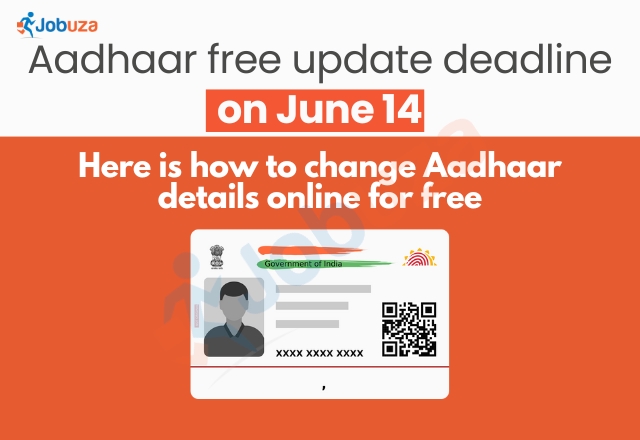
Update Your Aadhaar Online for Free Before June 14: Step-by-Step Guide
If you’ve been thinking about updating your Aadhaar details, now is the time. The Unique Identification Authority of India (UIDAI) is offering a free online Aadhaar update service until June 14, giving you a chance to update key information without visiting a physical center or paying the usual ₹50 fee.
This special offer was introduced to help citizens keep their Aadhaar records up to date. Although the deadline has already been extended a few times, it is currently set to end on June 14.
Why It’s Important to Update Your Aadhaar
As per the Aadhaar Enrolment and Update Regulations, 2016, residents are required to update their Proof of Identity (PoI) and Proof of Address (PoA) every 10 years. Keeping these details current ensures that your Aadhaar remains valid for essential services such as government subsidies, banking, and other KYC processes.
Neglecting regular updates may lead to service disruptions, delays, or rejections when accessing public services. It also helps the government maintain accurate demographic records and prevent misuse or fraudulent activities.
What Can Be Updated Online
UIDAI allows individuals to update certain demographic information online through the myAadhaar portal. These include:
Note: Biometric updates, such as fingerprints, iris scans, and photographs, cannot be done online. These require a visit to an Aadhaar Enrolment Centre due to the need for in-person verification.
How to Update Aadhaar Details Online for Free
Follow these steps to update your Aadhaar details online without paying any fee:
-
Visit the official website
Go to https://myaadhaar.uidai.gov.in on your browser.
-
Log in to your account
Click on the “Login” button. Enter your 12-digit Aadhaar number and the CAPTCHA code. An OTP will be sent to your registered mobile number. Enter the OTP to proceed.
-
Go to the document update section
After logging in, click on the “Document Update” option located in the top-right corner of the page.
-
Upload updated documents
Choose the appropriate Proof of Identity and Proof of Address documents from the dropdown menus. Upload clear scanned copies in PDF, JPEG, or PNG format. Make sure the file size is under 2MB.
-
Review and submit
Carefully verify your details before submitting the request. After submission, you’ll receive a Service Request Number (SRN) to track the status of your update.
Final Reminder
The deadline for free online Aadhaar updates is June 14, 2025. After that, the standard update fee of ₹50 will apply. To avoid delays or issues in accessing services, make sure your Aadhaar information is accurate and up to date.
by Jobuza Team | May 19, 2025 | BLOG, PAN/Aadhar Card Updates, Trending News
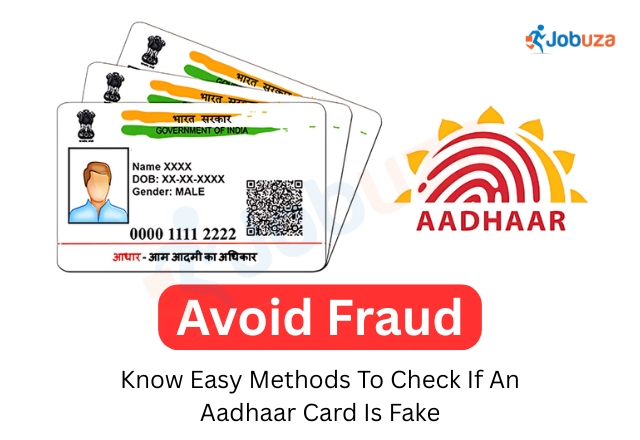
How to Check If an Aadhaar Card Is Genuine: Simple Methods to Verify Using Your Smartphone
Avoid Aadhaar Scams: Aadhaar has become a vital part of everyday life in India. From banking and mobile verification to accessing government services, Aadhaar is now linked to almost every major activity. Its wide usage has made it a trusted identity document for individuals, businesses, and government agencies.
However, with increasing reliance on Aadhaar, cases of fake or forged Aadhaar cards have also surfaced. Fraudsters have been found using counterfeit Aadhaar cards for illegal activities, including renting properties or securing employment. If you unknowingly hire or rent to someone with a fake Aadhaar, it can lead to serious legal consequences.
To protect yourself and your organization, it is essential to verify the authenticity of an Aadhaar card before placing your trust in it. Fortunately, UIDAI (Unique Identification Authority of India) provides easy ways to verify Aadhaar using your smartphone.
Method 1: Verify Aadhaar Using the mAadhaar App
Avoid Aadhaar Scams: UIDAI has launched the mAadhaar mobile app to help users manage and verify their Aadhaar information easily.
Follow these steps to verify Aadhaar through the mAadhaar app:
-
Go to the Google Play Store or Apple App Store and download the mAadhaar app.
-
Open the app and log in using your registered mobile number.
-
Navigate to the “My Aadhaar” section.
-
Enter the Aadhaar number and your basic location details.
-
The app will immediately check and confirm whether the Aadhaar number is valid and genuine.
If the Aadhaar number is invalid or does not exist in UIDAI’s database, it will be flagged accordingly.
Method 2: Use the Aadhaar QR Code Scanner to Verify Details
All Aadhaar cards issued by UIDAI contain a secure QR code that holds important details such as name, date of birth, address, and a photograph.
Here’s how to verify Aadhaar using a QR code:
-
Download the official Aadhaar QR Scanner app from the Google Play Store.
-
Open the app and scan the QR code printed on the Aadhaar card.
-
If the card is genuine, the app will instantly display all the stored information.
-
If the card is fake, no information will be shown after scanning.
This is one of the fastest and most reliable ways to confirm the authenticity of an Aadhaar card without needing any additional documents.
Why Verifying Aadhaar Is Important
-
Protect against fraud: Ensures you are dealing with a legitimate identity
-
Stay compliant: Avoid legal trouble when hiring, renting, or entering into any agreement
-
Build trust: Helps businesses and landlords verify identity before making commitments
-
Save time and resources: Instant verification avoids lengthy background checks in many cases
Final Thoughts
In a digital world where identity fraud is becoming more sophisticated, verifying an Aadhaar card before placing trust in it is a smart and necessary step. Whether you’re a landlord, employer, or service provider, taking a few moments to confirm Aadhaar authenticity can save you from future complications.
With tools like the mAadhaar app and Aadhaar QR Scanner, you can now verify any Aadhaar card in minutes—right from your phone. Stay informed, stay secure.
by Jobuza Team | May 5, 2025 | BLOG, PAN/Aadhar Card Updates, Trending News
How to Link Aadhaar with Ration Card: Complete Online and Offline Guide
Link Aadhaar- The Government of India has made it mandatory for all ration card holders to complete their e-KYC process. This move is designed to ensure fair distribution of subsidised food grains and prevent misuse or fraud in the public distribution system.
Why Is e-KYC Important for Ration Cards?
e-KYC (Electronic Know Your Customer) is a digital process that verifies the identity of ration cardholders using their Aadhaar details. This verification helps the government ensure that only eligible individuals and families receive the benefits of schemes like subsidised ration. It also plays a critical role in preventing black marketing, fake or duplicate ration cards, and other fraudulent activities.
How to Link Aadhaar with Ration Card: Online Method
Follow these simple steps to complete the Aadhaar-ration card linking process online:
-
Visit your state’s official Aadhaar or Public Distribution System (PDS) website.
-
Enter your Aadhaar number and ration card number.
-
Fill in the required details as per the instructions on the portal.
-
Submit the One-Time Password (OTP) sent to your registered mobile number.
-
Select ‘Ration Card’ as the scheme and click Submit.
-
Once your details are verified, you will receive a confirmation message.
Make sure your mobile number is linked to your Aadhaar card to receive the OTP.
How to Link Aadhaar with Ration Card: Offline Method
If you prefer to complete the process offline, follow these steps:
-
Visit your nearest Public Distribution System (PDS) center or ration shop.
-
Carry photocopies of the following documents:
-
Aadhaar cards of all family members
-
Ration card
-
Bank passbook (only if your Aadhaar is not linked to your bank account)
-
Passport-sized photographs of the head of the family
-
Submit the documents at the counter.
-
Complete the biometric verification process at the center.
After successful verification, you will receive an SMS or email notification confirming that the Aadhaar-ration card linking is complete.
Final Tips
-
Ensure that all family members’ Aadhaar details are updated and correct.
-
Check your mobile number is active and linked to Aadhaar for smooth OTP verification.
-
Keep a copy of the acknowledgment receipt for your records when linking offline.
By completing this process, you help make sure government benefits reach the right hands, improving transparency and fairness in the system.
by Jobuza Team | May 2, 2025 | BLOG, PAN/Aadhar Card Updates, Trending News
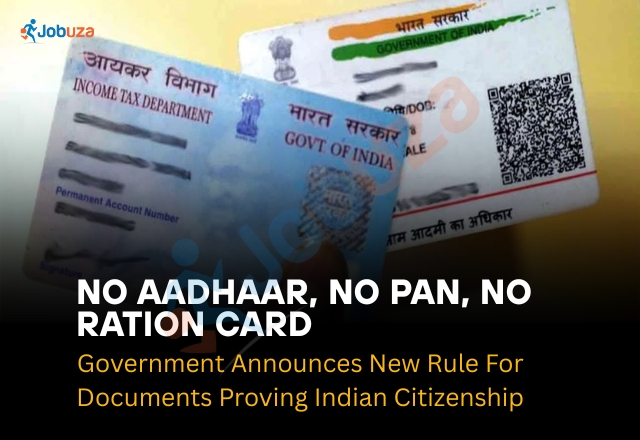
Aadhaar, PAN, Ration Card No Longer Accepted as Proof of Indian Citizenship: Government Announces New Rule
Major Policy Shift After Pahalgam Terror Attack
In a major policy change following the recent Pahalgam terror attack, the Indian government has announced that Aadhaar cards, PAN cards, and ration cards will no longer be accepted as valid proof of Indian citizenship. This decision especially targets individuals suspected of living illegally in the national capital.
Only Voter ID and Passport Accepted as Citizenship Proof
According to a Hindustan Times report, the Delhi Police have confirmed that only voter ID cards and Indian passports will now be accepted to prove Indian citizenship. This directive comes from the central government as part of broader efforts to tighten verification processes and improve national security.
Verification Drive Uncovers False Citizenship Claims
Since October last year, the Delhi Police and other agencies have been conducting an extensive verification drive. During these checks, many foreign nationals—especially from Bangladesh and the Rohingya community—were found using Aadhaar, PAN, and ration cards to falsely claim Indian citizenship.
Why Aadhaar, PAN, and Ration Cards Are Not Proof of Citizenship
It’s important to clarify that while India issues Aadhaar, PAN, and ration cards, none of these documents establish citizenship.
-
Aadhaar card: Confirms identity and address, but not nationality (as clarified by UIDAI).
-
PAN card: Used for tax purposes, not for proving citizenship.
-
Ration card: Helps families access subsidized food and goods, but does not confirm citizenship status.
Valid Documents for Proving Indian Citizenship
The government recognizes birth certificates and domicile certificates as primary documents to prove Indian citizenship. Under the Registration of Births and Deaths Act, 1969, birth certificates issued by authorized authorities serve as valid proof if the individual was born in India.
Government Crackdown on Pakistani Nationals
Following the Pahalgam attack, the government has also taken strict action against Pakistani nationals:
-
Visas issued to Pakistani citizens are being canceled, except for medical, diplomatic, and long-term visas (LTVs).
-
All medical visas will become invalid after April 29.
-
The Delhi Police and intelligence agencies have been ordered to identify Pakistani nationals in Delhi and issue immediate departure notices.
-
Hindu Pakistani citizens with valid long-term visas will not be affected by this rule.
Strengthening National Security and Verification
This major policy shift aims to enhance national security and ensure that all residents undergo proper verification. It reinforces the message that identity documents like Aadhaar, PAN, and ration cards are not sufficient to establish Indian citizenship.