by Jobuza Team | Sep 23, 2025 | BLOG, PAN/Aadhar Card Updates, Trending News
Free Aadhaar Update: Get Your 10-Year-Old Aadhaar Card Updated Online
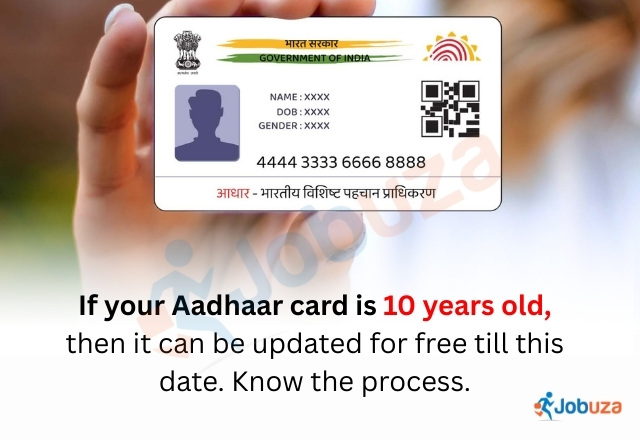
Aadhaar card is not just an identity card anymore—it has become one of the most important documents in India. From government schemes to private services, Aadhaar is required almost everywhere. Many times, people need to correct or update details such as their name, address, or other information. If your Aadhaar card is more than 10 years old, the Unique Identification Authority of India (UIDAI) is giving you a golden opportunity to update it free of cost.
Free Aadhaar Update Facility
UIDAI has announced that Aadhaar cardholders can update their documents online without paying any fee. This free facility is available till 14 June 2026. During this period, you can upload identity and address proof on the official MyAadhaar portal and update your Aadhaar card at no cost.
However, this facility is valid only for online updates. If you visit an Aadhaar Seva Kendra, a fee of ₹50 will be charged for demographic updates, and ₹100 will be charged for biometric updates such as fingerprint or iris scan. Children must also update their Aadhaar details once at the age of five and again at fifteen.
Step-by-Step Process to Update Aadhaar Card Online
Updating your Aadhaar card from home is quick and easy. Follow these steps:
-
Visit the official UIDAI portal: myaadhaar.uidai.gov.in
-
Select the “Document Update” option.
-
Enter your Aadhaar number and log in with the OTP received on your registered mobile number.
-
Check your Aadhaar details carefully.
-
Upload scanned copies of valid documents for identity and address proof.
-
Submit the request.
Once submitted, you will receive a 14-digit Update Request Number (URN). You can use this URN to track the status of your update online.
Why Updating Aadhaar Is Important
Keeping your Aadhaar details up to date ensures that you do not face any issues while availing government schemes, banking services, or other facilities linked to Aadhaar. An updated Aadhaar card helps avoid mismatches in documentation and reduces the risk of errors in official records.
Click here for more – PAN/Aadhar Card Updates
by Jobuza Team | Sep 17, 2025 | BLOG, PAN/Aadhar Card Updates, Trending News
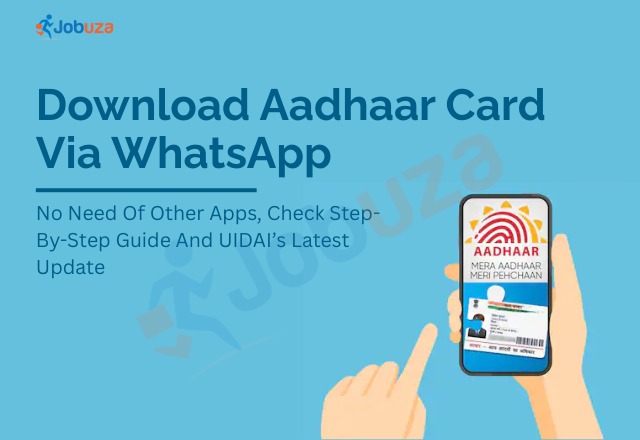
Download Aadhaar Card via WhatsApp – Easy Guide
Aadhaar card is one of the most important ID documents in India. From banks to mobile SIMs, it is required almost everywhere. Now, with the country moving towards digital services, you can download your Aadhaar directly on WhatsApp.
The Unique Identification Authority of India (UIDAI) has launched a new facility where you can get a safe, password-protected copy of your Aadhaar through the government’s official MyGov Helpdesk chatbot.
Why Use WhatsApp to Download Aadhaar?
This service is quick, secure, and convenient. You don’t need extra apps or repeated visits to Aadhaar centers. Your Aadhaar is delivered as a password-protected PDF, which makes it safe to use and share when needed.
Things You Need Before You Start
To download Aadhaar on WhatsApp, make sure you have:
-
A mobile number linked with Aadhaar
-
A DigiLocker account (can be created instantly if you don’t have one)
-
The official MyGov Helpdesk WhatsApp number: +91-9013151515
Step-by-Step Process to Download Aadhaar on WhatsApp
-
Save +91-9013151515 as MyGov Helpdesk on your phone.
-
Open WhatsApp and send “Hi” to the number.
-
Select DigiLocker Services from the menu.
-
Confirm if you already have a DigiLocker account.
-
Enter your Aadhaar number.
-
You will receive an OTP on your registered mobile number. Enter it in the chat.
-
After verification, your DigiLocker documents will appear.
-
Select Aadhaar from the list.
-
Your Aadhaar card will be delivered in PDF format directly on WhatsApp.
Is It Safe?
Yes. The service is provided by UIDAI through the government’s official chatbot. The Aadhaar file you receive is password-protected, so your information remains secure.
Conclusion
Downloading Aadhaar on WhatsApp is one of the easiest ways to keep your ID handy. With just your registered mobile number, DigiLocker account, and the MyGov Helpdesk number, you can access your Aadhaar anytime without depending on any other app or service.
Click here for more – PAN/Aadhar Card Updates
by Jobuza Team | Sep 12, 2025 | BLOG, PAN/Aadhar Card Updates, Trending News
Aadhaar Card Update: How to Correct Wrong Name Online in Just 5 Minutes
The Unique Identification Authority of India (UIDAI) has made the Aadhaar Card update process much simpler. Now you can easily correct or change your name sitting at home without visiting any Aadhaar Seva Kendra. Everything can be done online through the official UIDAI website.
Why Correcting Aadhaar Card Details is Important
Aadhaar Card is one of the most important identity documents in India. From opening a bank account to getting a mobile SIM, filing income tax returns, or availing government schemes, Aadhaar is mandatory everywhere. However, if your name is misspelled or you need to update it due to other reasons, it can cause problems. That is why it is essential to correct your Aadhaar details at the earliest.
Update Aadhaar Card Name Online from Home
UIDAI has made the process very convenient. Instead of standing in long queues, you can complete the name correction process online with just a few documents and a stable internet connection.
Documents Required for Aadhaar Name Change
To change your name in Aadhaar, you must upload a valid supporting document approved by UIDAI. Some of the acceptable documents include:
Make sure the document you upload clearly shows the correct name.
Step-by-Step Process to Change Name in Aadhaar Online
Step 1: Visit the official UIDAI website at https://uidai.gov.in. Under the “My Aadhaar” section, select the option for Update Aadhaar Online.
Step 2: Log in using your Aadhaar number and the OTP sent to your registered mobile number. Choose the Name Update option. Enter your new name exactly as per your documents and upload the scanned copy of the supporting document.
Step 3: Re-check all details carefully before submitting. Once you submit the request, you will receive a URN (Update Request Number). You can use this URN to track the status of your Aadhaar update online.
How Long Does the Aadhaar Name Update Take?
As per UIDAI, a name update request usually takes 7 to 10 days to process. In some cases, it may take longer due to verification. Once the update is approved, you will receive an SMS notification, and you can download the updated Aadhaar card online.
Important Things to Keep in Mind
-
The Aadhaar name update can be done online only twice in a lifetime.
-
Ensure the new name matches exactly with the name on your uploaded document.
-
The scanned copy of the document should be clear and easy to read.
-
After the update is approved, you can download the e-Aadhaar card from the UIDAI website.
Click here for more – PAN/Aadhar Card Updates
by Jobuza Team | Sep 5, 2025 | BLOG, PAN/Aadhar Card Updates, Trending News
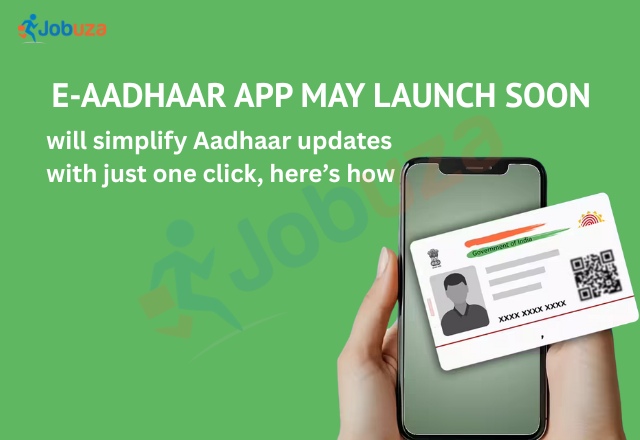
e-Aadhaar App May Launch Soon: One-Click Aadhaar Updates Made Easy
The Unique Identification Authority of India (UIDAI) is working on a brand-new e-Aadhaar mobile app that aims to make updating your Aadhaar details faster, safer, and more convenient. The beta version of the app was released in April 2025 and is currently being tested. Once the app officially launches, users will be able to update personal information like name, address, and date of birth without visiting a physical Aadhaar centre.
Key Features of the New e-Aadhaar App
The upcoming e-Aadhaar app promises a smoother, more secure, and user-friendly experience. Here’s what to expect:
1. One-Click Aadhaar Updates
Users will be able to update their Aadhaar details directly from their mobile phones, eliminating the need to visit Aadhaar enrolment centres.
2. QR Code-Based Authentication
The app will include a QR code scanning feature. Users can scan a QR code using the app to share their Aadhaar details securely, ensuring better privacy and faster verification.
3. Face ID Verification Powered by AI
The app will allow users to verify their identity through AI-powered Face ID authentication. Simply take a live selfie, and the app will match it with the photograph stored in the UIDAI database. If the details match, your Aadhaar will be verified instantly — no physical card or photocopy required.
4. Virtual Aadhaar ID Generation
Users will be able to create virtual Aadhaar IDs, making it safer to share Aadhaar information online without exposing the actual Aadhaar number.
5. Aadhaar PDF Access in Seconds
The app will allow users to download their Aadhaar PDF instantly. UIDAI claims that the entire process will be as smooth and quick as making a UPI payment.
How to Update Aadhaar Details Right Now
While the new app is still under development, Aadhaar updates are currently possible through the myAadhaar portal or Aadhaar enrolment centres. Here’s the step-by-step process:
Online Aadhaar Update Process
-
Visit the myAadhaar portal.
-
Log in using your Aadhaar number and the OTP sent to your registered mobile number.
-
Select the “Update Address” option, enter your new details, and upload valid proof such as a passport or driving licence.
-
Pay a small fee of ₹50 and track your request using the Service Request Number (SRN) on the UIDAI portal.
Offline Aadhaar Update Process
For certain updates like date of birth, mobile number, or name corrections, you’ll need to visit the nearest Aadhaar enrolment centre. Carry valid supporting documents such as:
-
Birth certificate for date of birth updates
-
Bank passbook for mobile number changes
-
Government-issued ID proof for name corrections
An Aadhaar operator will process the update, and you can track the status online.
Final Thoughts
The upcoming e-Aadhaar app is set to transform how people manage their Aadhaar details. With one-click updates, AI-based face authentication, and QR code verification, the app aims to provide a fast, secure, and hassle-free experience. Until then, users can continue updating their Aadhaar details through the myAadhaar portal or by visiting Aadhaar enrolment centres.

by Jobuza Team | Jul 28, 2025 | BLOG, PAN/Aadhar Card Updates, Trending News
Lost Your Wallet? Here’s How to Recover Aadhaar, PAN, Driving License, and Bank Cards Quickly
In today’s fast-paced world, especially while using public transport or walking through crowded streets, losing a wallet or becoming a victim of theft is not uncommon. But the real panic begins when you realise it’s not just about losing some cash — it’s about losing essential identity documents like your Aadhaar card, PAN card, driving license, and bank cards.
Misplacing these documents can be stressful, but the good news is: you can take quick steps to secure yourself and start the recovery process without too much hassle.
1. File an FIR Immediately
Your very first step should be to visit the nearest police station and file a First Information Report (FIR). This document is crucial. It officially records the theft or loss and acts as proof while applying for reissued identity documents. More importantly, it protects you from potential identity misuse or fraudulent activity.
2. Block All Lost Bank Cards
If your wallet also had debit or credit cards, act fast. Call your bank’s customer care number immediately and get all the cards blocked to prevent unauthorized transactions. Most banks have 24×7 helpline numbers and also allow you to block or replace cards via mobile banking or internet banking.
3. How to Recover Lost Identity Documents
Here’s how you can reapply for the major documents typically found in a wallet:
Aadhaar Card
If your mobile number is linked to your Aadhaar, you can easily request a reprint online through the UIDAI website. Alternatively, visit your nearest Aadhaar Seva Kendra for assistance. The UIDAI also allows you to download an e-Aadhaar anytime, which can be used as a valid document.
PAN Card
For a lost or stolen PAN card, head to the NSDL or UTIITSL website. Use the ‘Reprint PAN’ or ‘Request for Duplicate PAN’ option. You may need to verify your identity through OTP or document upload, and sometimes a copy of the FIR may be required.
Driving License
Visit the official Parivahan Sewa website (parivahan.gov.in) to apply for a duplicate driving license. You’ll need to upload supporting documents including your FIR copy, identity proof, and a passport-size photo. Many state transport departments also offer this service offline at RTO offices.
ATM or Credit Cards
If not done already, request new cards from your bank. You can do this by visiting a branch or using mobile/net banking platforms. Depending on your bank’s policy, the reissued cards may reach your registered address within a few days.
Final Tips to Stay Prepared in the Future
-
Keep a digital backup of important identity documents in a secure cloud storage or DigiLocker.
-
Avoid carrying all original documents together in one wallet.
-
Use a minimal wallet when travelling or commuting in crowded areas.
Conclusion
Lost Your Wallet — but with the right steps, you can control the situation. Acting quickly to file an FIR, block your bank cards, and begin reapplying for lost documents ensures you’re not left vulnerable for long. And by staying prepared, you can avoid even bigger troubles down the line.
by Jobuza Team | Jul 11, 2025 | BLOG, PAN/Aadhar Card Updates, Trending News
Is Your Aadhaar Being Misused? Here’s How to Track Activity and Protect Yourself from Fraud
Your Aadhaar card is one of the most important identity documents in India. It’s used for everything from opening bank accounts and applying for government schemes to booking travel tickets and getting admissions. But with such wide usage comes a risk—unauthorized use or Aadhaar-related fraud.
If someone misuses your Aadhaar card, it can lead to serious financial and personal trouble. The good news is, you can track its activity, report suspicious use, and even lock your Aadhaar biometrics for added security.
How to Check If Your Aadhaar Is Being Used Without Your Permission
To check if your Aadhaar has been used in any unauthorized way, you can use the Aadhaar Authentication History feature on the official UIDAI portal.
Follow these simple steps:
-
Go to the official UIDAI website — https://myaadhaar.uidai.gov.in
-
Login using your Aadhaar number and the OTP sent to your registered mobile number
-
Navigate to ‘Aadhaar Authentication History’
-
Select the time period you want to check
-
Review the list of all authentication requests linked to your Aadhaar
If you see any activity that you don’t recognize, you may be a victim of Aadhaar misuse.
What to Do If You Notice Unauthorized Aadhaar Activity
If you find suspicious or unknown activity linked to your Aadhaar card, take action immediately:
-
Call UIDAI’s helpline number: 1947 (toll-free)
-
Send an email to: help@uidai.gov.in
-
Keep a record of your complaint for follow-up
Locking Your Aadhaar Biometrics for Extra Protection
To prevent others from using your Aadhaar fingerprint or iris scan without permission, you can lock your biometrics online.
Here’s how to do it:
-
Visit the UIDAI website and go to the “Lock/Unlock Biometrics” section
-
Enter your Aadhaar number or Virtual ID (VID) and captcha
-
You’ll receive an OTP on your registered mobile number — enter it to confirm
-
Once verified, you can lock your biometrics instantly
This makes it impossible for anyone to use your Aadhaar for biometric-based authentication unless you unlock it again.
Keep Your Aadhaar Details Up to Date
Another simple but effective way to protect your Aadhaar is to keep your details updated:
-
Make sure your mobile number is linked and correct
-
Update your address, name, or photo if they’ve changed
-
If you haven’t updated your Aadhaar in the last 10 years, visit the nearest Aadhaar Seva Kendra to refresh your biometrics
An updated Aadhaar ensures you receive important alerts and keeps your information secure.
Final Thoughts
Your Aadhaar card is linked to many key services, and its misuse can have serious consequences. That’s why it’s important to:
-
Regularly check your Aadhaar usage history
-
Lock your biometric data when not in use
-
Report suspicious activity without delay
-
Keep your contact and identity details updated
By staying alert and proactive, you can safeguard your identity and avoid becoming a victim of Aadhaar-related fraud.