by Jobuza Team | Sep 11, 2025 | BLOG, Trending News
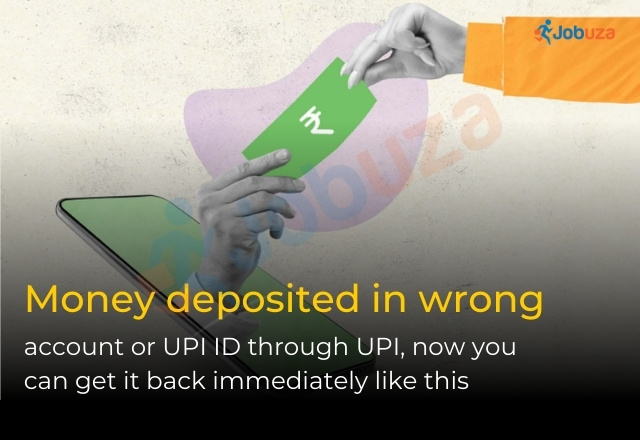
Sent Money to the Wrong UPI ID or Account? Here’s How You Can Get It Back
Wrong UPI Transaction: Digital payments in India have become faster and more convenient with UPI. From big cities to small towns and villages, people are sending and receiving money within seconds. But mistakes can happen—sometimes money is transferred to the wrong UPI ID or account due to a typing error, wrong contact, or even fraud.
If this happens to you, don’t panic. As per RBI guidelines, acting quickly and reporting the issue to your UPI app, bank, or NPCI increases the chances of recovering your money. Here’s everything you need to know.
When Do Wrong UPI Transactions Happen?
Wrong transactions can occur due to several reasons:
-
Entering the wrong mobile number or UPI ID in a hurry.
-
Selecting the wrong contact saved in your phone.
-
Technical glitches in the app or network.
-
Fraud, where users are tricked into sending money to scammers.
What Do RBI Guidelines Say?
The Reserve Bank of India (RBI) makes it clear that entering the correct details is the responsibility of the user. While banks and UPI apps work to provide secure systems, you must double-check before confirming a transaction.
At the same time, RBI has directed all banks and UPI apps to offer a proper grievance redressal system. If your money goes to the wrong account, you have the right to lodge a complaint immediately.
Steps to Take If Money Goes to the Wrong Account
1. Report the Issue in the UPI App
Most UPI apps such as Google Pay, PhonePe, Paytm, and BHIM have a “Help” or “Report” option.
-
Select the transaction that went wrong.
-
Choose “Wrong UPI Transaction” or the closest option.
-
Provide all transaction details and submit a complaint.
2. Contact Your Bank Immediately
If the app complaint doesn’t resolve the issue, reach out to your bank.
-
Call customer care or visit the nearest branch.
-
Keep details such as transaction ID, date, time, and recipient information ready.
-
Submitting a written complaint is recommended as it gets officially recorded.
3. File a Complaint with NPCI
If your issue is not resolved within 30 days, you can approach the National Payments Corporation of India (NPCI).
Can the Money Really Be Recovered?
Recovery is possible but not guaranteed. If the recipient agrees to return the money, the process is simple. However, if the person refuses, banks and NPCI can only attempt to help—they cannot forcefully reverse the payment. This is why quick action is critical.
How to Avoid Wrong UPI Transactions
Prevention is always better than cure. Keep these tips in mind:
-
Double-check the recipient’s UPI ID or account details before confirming.
-
Verify the name that appears before completing the payment.
-
Avoid relying on auto-saved contacts as they may be outdated.
-
Stay away from suspicious QR codes and unknown payment links.
-
When sending money to a new person, test with a small amount first.
Final Thoughts
UPI has made money transfers fast and convenient, but mistakes can happen in seconds. Always stay cautious, confirm details carefully, and act quickly if a wrong transaction occurs. Following RBI guidelines and contacting your UPI app, bank, and NPCI without delay gives you the best chance of recovering your money.
by Jobuza Team | Sep 11, 2025 | BLOG, Trending News
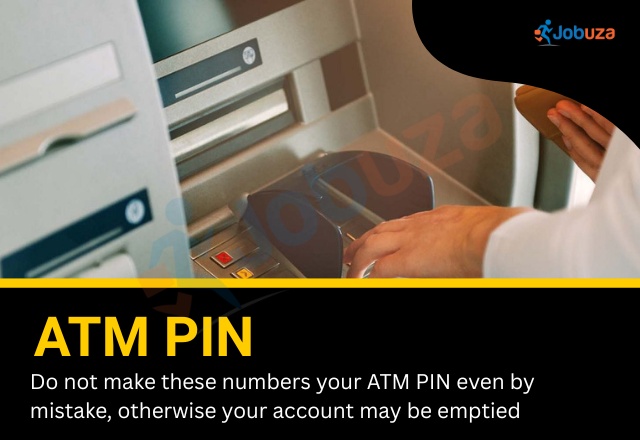
ATM PIN Safety: Numbers You Should Never Use
ATM PIN Warning: When creating a debit or credit card PIN, it is important to choose a number that is difficult to guess. Many people use simple or personal numbers for convenience, but these PINs can put your bank account at serious risk. If your data is ever leaked, hackers can easily guess weak PINs and drain your account.
Below are the types of numbers you should never use as your ATM PIN, along with tips on how to create a secure one.
Why a Strong ATM PIN is Important
Whether you are withdrawing cash, shopping online, or swiping at a store, your debit and credit card transactions depend on a four-digit PIN. This small number is the key to protecting your money. Choosing a weak or predictable PIN can compromise your account security within seconds.
PIN Numbers You Should Avoid
1. Simple and Sequential Numbers
Many users set up simple sequences because they are easy to remember. Unfortunately, these are also the first combinations hackers try.
2. Birth Dates and Family Details
Birth dates are among the most common PINs, making them easy to crack.
-
Your birth year (1988, 1993)
-
Exact birth dates (1508, 2511, 1901)
-
Birth dates of family members
3. Personal Numbers That Can Be Guessed
Details connected to your daily life are risky choices.
-
Last four digits of your mobile number
-
Vehicle registration number
-
ID or Aadhaar card digits
4. Globally Common PINs
Cybersecurity reports show that some PINs are used so often that they can be guessed in seconds.
How to Create a Safe ATM PIN
To keep your bank account secure, follow these guidelines:
-
Use a random combination of digits that cannot be linked to your personal details.
-
Avoid repeating numbers, simple sequences, or memorable dates.
-
Change your PIN regularly, ideally every 6 to 12 months.
-
Keep your PIN private and never share it with anyone.
Final Thoughts
ATM PIN Warning: A debit or credit card PIN is more than just a four-digit number—it is the first line of defense for your money. By avoiding predictable combinations and choosing a strong, unique PIN, you reduce the risk of fraud and keep your hard-earned money safe.
by Jobuza Team | Sep 11, 2025 | BLOG, Trending News
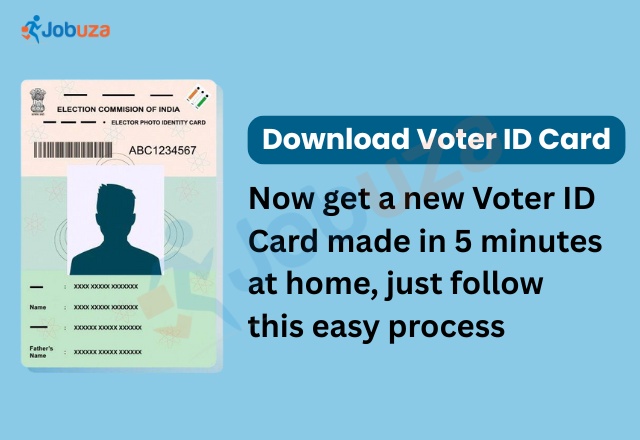
Download Duplicate Voter ID Card Online
If your Voter ID Card is lost or misplaced, there is no need to panic. Now you can easily download its digital copy online in just a few minutes. The Election Commission of India has introduced the e-EPIC Card, which is the digital version of your Voter ID and can be used anywhere just like the physical card.
Why Voter ID Card Matters
A Voter ID is more than just proof of your right to vote. It is also one of the most widely accepted identity and address proofs in India. Whether it is opening a bank account, applying for a passport, or completing official work, your Voter ID is required almost everywhere.
No More Waiting in Queues
Earlier, getting a duplicate Voter ID Card meant visiting the Election Commission office and waiting for hours. But with the launch of the EPIC (Electronic Electoral Photo Identity Card) Portal, this process has become quick and simple. Now, you can download your card instantly without stepping out of your home.
What is an e-EPIC Card?
The e-EPIC Card is the digital version of your voter ID, available in PDF format. It can be saved on your phone, laptop, or computer. Since it is stored digitally, there is no risk of losing or damaging it. You can also print it anytime if you need a physical copy.
How to Download Duplicate Voter ID Online
Here’s the step-by-step process:
Step 1: Visit the Portal
Go to the EPIC Portal or the NVSP Portal.
If you already have an account, log in using your mobile number or email ID. If not, register by entering your mobile number and verifying it with OTP.
Step 2: Select e-EPIC Download
After logging in, click on “Download e-EPIC.”
Enter your EPIC number (the 10-digit number on your Voter ID). If you don’t remember it, you can use your Reference ID instead.
Step 3: Verify with OTP
You will get an OTP on your registered mobile number. Enter it to verify.
Once verified, your e-EPIC Card will be downloaded in PDF format. You can save it or take a printout for use.
Benefits of e-EPIC Card
-
Instant download anytime, anywhere
-
No risk of damage or loss
-
Accepted as valid ID proof for banks, travel, and government services
-
Free of cost
-
Saves time and effort compared to offline process
Conclusion
The e-EPIC Card is a convenient and secure way to keep your Voter ID safe. If your physical card is lost or damaged, you can simply download the duplicate version online within minutes. With this option, you always have your voter ID handy, whether on your phone, laptop, or as a printed copy.
by Jobuza Team | Sep 10, 2025 | BLOG, Trending News
EPFO News 2025: How to Transfer Your PF Account Online After Changing Jobs
EPFO Update 2025: The Employees’ Provident Fund Organisation (EPFO) manages the provident fund (PF) accounts of employees in both private and government sectors. PF savings are linked to your Universal Account Number (UAN), which stays the same throughout your career.
However, when you switch jobs, your new employer usually creates a new PF member ID. Managing multiple PF accounts can get confusing. That’s why transferring your PF account online is important. Here’s a simple, step-by-step guide to help you do it easily.
Documents and Details You Need
Before starting the transfer, keep these details ready:
-
UAN (Universal Account Number) – A unique ID for your PF account.
-
Aadhaar, PAN, and Bank Account Details – These must be linked to your UAN.
-
PF Account Number and Establishment Number – From both your old and new employers.
-
Form 13 – The PF transfer request form, to be submitted online.
Conditions for PF Transfer
To transfer your PF account successfully, you need to meet these criteria:
-
Your UAN must be active and linked to your mobile number.
-
Aadhaar, bank details, and date of leaving your previous job must be updated in your UAN profile.
-
Your employer must approve your e-KYC.
-
You can make only one transfer request per member ID.
How to Transfer PF Account Online
Follow these simple steps to transfer your PF account through the EPFO portal:
-
Go to the official EPFO website: https://www.epfindia.gov.in/
-
Log in using your UAN and password.
-
Click on ‘Services’ and select ‘One Employee – One EPF Account’.
-
Verify your personal details and enter your old and current employer details.
-
Click on ‘Get Details’ to view your PF account information.
-
Select either your previous employer or current employer for verification, based on who has a Digital Signature Certificate (DSC).
-
Enter your Member ID or UAN and click on ‘Get OTP’.
-
Enter the OTP received on your registered mobile number and click ‘Submit’.
Your PF transfer request will be submitted successfully. You can check the status anytime on the EPFO portal.
Why Transferring Your PF Account Is Important
Even though your UAN stays the same, every employer generates a new PF member ID. If you don’t transfer your PF, you’ll have multiple accounts, making it difficult to track your savings.
Benefits of transferring your PF account:
-
All your PF savings stay under one UAN.
-
Easier to track contributions and interest.
-
Smooth process when you withdraw PF or apply for loans.
In some cases, employers handle the transfer automatically, but in most cases, you need to initiate the request yourself.
Final Words
If you’ve changed jobs, transferring your PF account online is simple and important. It keeps all your savings in one place, helps you track your balance easily, and ensures a smooth process whenever you need to withdraw or use your PF funds.
by Jobuza Team | Sep 10, 2025 | BLOG, Trending News
ITR Filing Rules 2025: 5 Types of People Who Must File ITR Even with Zero Income
ITR Filing 2025: Many people believe that if their annual income is below the tax exemption limit, they don’t need to file an Income Tax Return (ITR). But this is not always true.
The Income Tax Department has made it clear that in some cases, filing ITR is compulsory, even if your income is less than ₹2.5 lakh (Old Regime) or ₹3 lakh (New Regime). Ignoring these rules can lead to penalties or even a legal notice.
Here are the five situations where filing ITR is mandatory, even with zero taxable income.
1. Depositing ₹1 Crore or More in a Current Account
If you deposit ₹1 crore or more in your current account during a financial year, you must file ITR.
This rule applies to both cash and digital deposits. The Income Tax Department uses this information to track high-value transactions and prevent tax evasion.
2. Spending ₹2 Lakh or More on Foreign Travel
If your foreign travel expenses are ₹2 lakh or more in a year, you have to file ITR.
It doesn’t matter whether the trip is personal or business-related. This rule helps the government track big-ticket expenses and ensure income reporting is accurate.
3. Paying More Than ₹1 Lakh in Electricity Bills
If your total electricity bill for the year is above ₹1 lakh, filing ITR becomes compulsory.
This rule targets people whose lifestyle expenses are higher than their declared income. It helps the tax department identify mismatches between income and spending.
4. TDS Deduction of ₹25,000 or More
If TDS (Tax Deducted at Source) of ₹25,000 or more has been deducted from your income in a financial year, you must file ITR.
For senior citizens, the limit is ₹50,000. Since tax has already been deducted, the government requires you to report your income officially.
5. Owning Foreign Property or Bank Accounts
If you own property abroad or have signing authority in a foreign bank account, you are required to file ITR.
You also need to declare details of any foreign income, property, or assets while filing your return.
Final Words
Even if your income is below the tax exemption limit, you might still need to file ITR under certain circumstances.
Doing so not only keeps you compliant with the law but also helps you maintain a clean financial record. This is useful when applying for loans, visas, or other financial services in the future.

by Jobuza Team | Sep 9, 2025 | BLOG, Trending News
GST 2.0: Check Which Items Have Become Cheaper and How to Know Your Savings
The Government of India has introduced GST 2.0, a simplified tax structure aimed at reducing the burden on consumers. Under this new system, taxes on small vehicles, household goods, education services, and healthcare have been reduced significantly.
To make things easier for consumers, the government has launched a dedicated website savingswithgst.in. Through this platform, you can check and compare product prices before and after the revised GST rates come into effect on September 22, 2025.
GST 2.0: What’s New in the Tax System
The central government has introduced several major changes under GST 2.0 to bring relief to the poor and middle class. The MyGov platform has launched a special website that lets consumers calculate their savings easily.
This platform allows you to check prices across multiple categories, including:
-
Food products
-
Breakfast items
-
Household goods
-
Home electronics
-
Kitchen essentials
-
Entertainment products
-
Lifestyle items
According to MyGovIndia, GST 2.0 is the next-generation GST. Consumers can simply add products to their cart on the website to see the price difference before and after GST rate cuts.
How to Check Which Items Are Cheaper
The government has made it simple for consumers to find out how much they can save under GST. Follow these steps:
-
Visit the official website: savingswithgst.in
-
Add your preferred products to the shopping cart.
-
The cart will display:
-
Base Price (original price)
-
Price under VAT (before GST reforms)
-
Price under Next-Gen GST (after reforms)
-
Compare the prices to see your savings instantly.
For example:
If you add milk priced at ₹60 per liter, the website will show:
-
Price with VAT: ₹63.6
-
Price under GST 2.0: ₹60
This way, you can easily calculate your real-time savings.
Everyday Essentials Get Cheaper Under GST 2.0
With the new GST reforms, many daily-use items have become more affordable:
-
Zero GST: Ultra-high temperature (UHT) milk, packaged paneer, chhena, and all Indian breads.
-
5% GST: Soap, shampoo, toothbrush, toothpaste, tableware, bicycles, and other household products.
This move directly reduces household expenses and benefits millions of families.
Only Two Tax Slabs
Under GST 2.0, the GST Council has approved a simplified two-slab system:
Additionally:
All these changes will come into effect from September 22, 2025.
Why GST 2.0 Matters
The Next-Gen GST reform was announced by Prime Minister Narendra Modi during his Independence Day speech and is considered one of the biggest tax reforms in recent years.
By reducing taxes on essential products and packaged food, GST 2.0 aims to:
-
Lower household expenses
-
Provide direct savings to consumers
-
Simplify the overall tax structure
-
Improve price transparency for everyday items
Conclusion
The launch of GST 2.0 marks a major step towards a consumer-friendly tax system. With reduced taxes on essential goods and an easy-to-use website, you can now check your savings from the comfort of your home.
Visit savingswithgst.in to see which items have become cheaper and start planning your budget better.