by Jobuza Team | Sep 9, 2025 | BLOG, Trending News
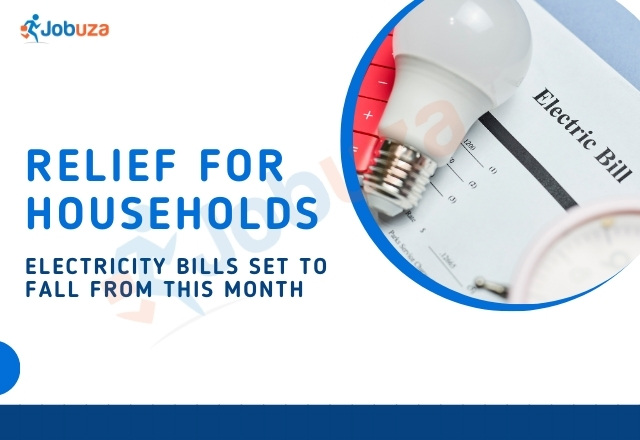
Electricity Bills to Get Cheaper from This Month
There’s good news for households — electricity bills are expected to come down starting this month. The recent GST reduction on renewable energy equipment has lowered production costs, which means energy companies can now supply power at more affordable rates.
GST Cut to Reduce Power Costs
The GST on renewable energy equipment has been slashed from 12% to 5%. Because of this, costs for plant construction, engineering, and procurement will drop from 13.8% to 8.9%.
This will directly reduce the cost of electricity generated from renewable sources by 4-5%, which could save consumers 10 to 14 paise per unit.
Boost for Green Energy
Cheaper renewable energy will increase demand for green electricity. Power distribution companies (Discoms) are expected to see more usage, while businesses will get easier and cheaper access to renewable energy through open access systems.
This will also encourage more investment in renewable energy projects and help strengthen India’s clean energy sector.
Benefits for Power Developers
According to experts, the overall cost of new projects will drop by 4-7%. As a result, the return on investment for developers could rise by 100 to 200 basis points.
However, there could be a small drawback — lower GST means reduced input tax credit for producers, which might affect their margins.
Cheaper Coal-Based Power Too
Even coal-based power generation will become less expensive. While the GST on coal has increased from 5% to 18%, the cess of ₹400 per ton has been removed.
This change will lower coal-based electricity costs by over 10 paise per unit, depending on coal quality. Since coal contributes around 73% of India’s power supply, this will significantly reduce overall electricity costs.
What Consumers Can Expect
-
Lower electricity bills for households
-
Reduced production costs for energy companies
-
More affordable access to green energy
-
Higher investments in the power sector
With these changes, consumers are likely to see noticeable savings on their electricity bills in the coming months.

by Jobuza Team | Sep 8, 2025 | BLOG, Trending News
UPI Transaction Limits for Special Merchants to Increase from September 15: All You Need to Know
UPI Transaction Limits: The National Payments Corporation of India (NPCI) has announced a major change to the Unified Payments Interface (UPI) system. Starting September 15, 2025, verified merchants in select categories will be allowed to process higher-value UPI transactions, making digital payments even more seamless.
Under the new guidelines, eligible merchants can now accept UPI payments up to ₹5 lakh per transaction, depending on their sector. The move comes as UPI continues to dominate India’s digital payments landscape, crossing 20 billion transactions in August 2025, worth over ₹25 lakh crore.
Higher UPI Limits from September 15
According to an NPCI circular issued on August 28, 2025, the increased UPI limits will apply to multiple categories, but only for verified merchants who comply with NPCI’s guidelines.
Acquiring member banks will be responsible for enabling these enhanced limits. However, banks will have the right to set their own internal ceilings within the NPCI-prescribed range.
Updated UPI Transaction Limits by Category
₹5 Lakh Per Transaction
The following sectors can process UPI payments of up to ₹5 lakh per transaction:
-
Capital markets
-
Insurance
-
Government e-Marketplace (GeM)
-
Travel bookings
-
Credit card bill payments
-
Collections and business/merchant payments (including pre-approved payments)
-
Foreign exchange retail transactions via BBPS
-
Digital account openings for term deposits
₹2 Lakh Per Transaction
A transaction limit of ₹2 lakh will apply to:
Cumulative UPI Limits
In addition to per-transaction limits, NPCI has also set cumulative limits for specific categories:
-
Capital markets, insurance, travel, collections, and government e-marketplace: ₹10 lakh cumulative limit
-
Credit card bill payments: ₹6 lakh cumulative limit
These measures are designed to maintain security while allowing users and merchants greater flexibility for high-value UPI transactions.
Implementation and Compliance
NPCI has directed all banks, payment apps, and service providers to update their systems by September 15, 2025 to comply with the new transaction limits.
This update reflects the rapid evolution of India’s digital payment ecosystem. UPI’s record-breaking 20 billion transactions in August 2025 demonstrates its growing importance in everyday payments, business transactions, and high-value purchases.
Key Takeaway
From September 15, 2025, verified merchants in several sectors will benefit from higher UPI transaction limits — up to ₹5 lakh per transaction for select categories and ₹2 lakh for others.
With UPI crossing ₹25 lakh crore in monthly transaction value, this move strengthens India’s position as a global leader in digital payments while giving merchants and consumers more flexibility for big-ticket purchases.
by Jobuza Team | Sep 8, 2025 | BLOG, Trending News
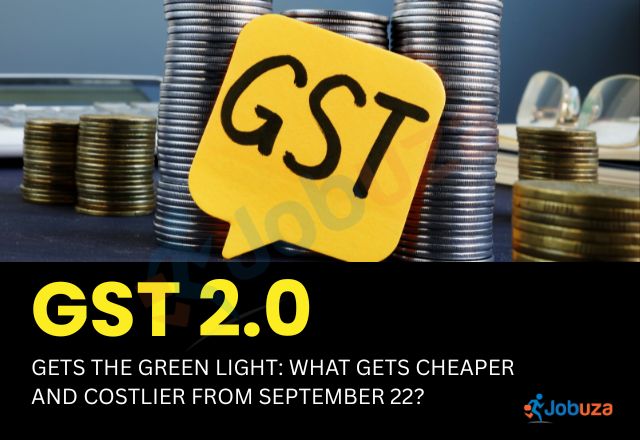
GST 2.0 Gets the Green Light: What Becomes Cheaper and Costlier from September 22
GST New Rates: The 56th meeting of the GST Council, chaired by Union Finance Minister Nirmala Sitharaman on September 3, 2025, has paved the way for one of the biggest overhauls in India’s indirect tax system.
The revised GST structure, effective September 22, 2025, introduces major rate cuts on essential goods and services, making many daily-use items cheaper, while a few categories face higher taxation.
GST 2.0: What Becomes Cheaper
The new GST rates aim to provide relief to households, businesses, and consumers across various sectors.
1. Food and Daily Essentials
-
Milk and dairy products: UHT milk will now be tax-free, while condensed milk, butter, ghee, paneer, and cheese have been reduced from 12% to 5% or nil.
-
Staple foods: Malt, starches, pasta, cornflakes, biscuits, chocolates, and cocoa products now fall under the 5% GST slab, down from 12–18%.
-
Dry fruits and nuts: Almonds, pistachios, hazelnuts, cashews, and dates have moved from 12% to 5%.
-
Sugar and confectionery: Refined sugar, sugar syrups, toffees, candies, and confectionery products are now taxed at 5%.
-
Packaged foods: Vegetable oils, edible spreads, sausages, meat preparations, fish products, and malt extract-based packaged foods now attract just 5%.
-
Namkeens and snacks: Popular snacks like bhujia, mixture, chabena, and similar items are down from 18% to 5%.
-
Packaged waters: Natural and mineral water without added sugar or flavours has been reduced from 18% to 5%.
2. Agriculture and Fertilisers
-
Fertilisers: GST on fertilisers has been reduced from 12% and 18% to just 5%.
-
Agricultural inputs: Seeds, crop nutrients, and select farming essentials are now taxed at 5%.
3. Healthcare and Education
-
Medical products: Life-saving drugs, essential health products, and certain medical devices now fall under the 5% or nil tax bracket.
-
Educational materials: Books, learning aids, and other educational services have moved from 5–12% GST to nil or 5%, reducing costs for students.
4. Consumer Goods
-
Electronics: Entry-level appliances and mass-use electronics now attract 18% GST, down from 28%.
-
Footwear and textiles: GST reduced from 12% to 5%, making them more affordable.
-
Paper products: Certain paper grades are now tax-free.
-
Personal care: Hair oil, shampoo, dental floss, and toothpaste now fall under the 5% slab, down from 18%.
5. Auto Sector
-
Small cars now attract 18% GST, down from 28%.
-
Motorcycles up to 350cc are reduced to 18%, from 28%.
-
GST on electric vehicles remains unchanged at 5%.
-
Car parts are now taxed uniformly at 18%.
-
Luxury cars and high-end motorcycles remain at 40% GST, with no additional cess.
6. Other Sectors
-
Renewable energy devices: GST cut from 12% to 5%.
-
Construction materials: Key inputs used in housing and infrastructure are reduced from 12% to 5%.
-
Sports goods and toys: Now taxed at 5%, down from 12%.
-
Leather, wood, and handicrafts: Brought under the 5% slab, boosting affordability and demand.
GST 2.0: What Becomes Costlier
While GST 2.0 offers significant relief, a few categories continue to remain under higher taxation.
1. Sin and Luxury Goods
-
Products like pan masala, gutkha, cigarettes, chewing tobacco, zarda, and bidi remain under high GST rates, along with the compensation cess, until pending cess-linked loans are repaid.
-
The valuation of these products has shifted to Retail Sale Price (RSP) instead of transaction value, ensuring stricter compliance.
-
A new 40% GST slab is applicable to sin goods, aerated beverages, and luxury products such as premium liquor, high-end cars, and imported luxury sedans.
2. Energy and Fuels
-
Coal, which was previously taxed at 5%, will now attract 18% GST, impacting coal-based industries and power generation costs.
3. Services Sector
-
Restaurants operating within “specified premises” will no longer qualify for the 18% with ITC benefit, leading to higher bills for premium dining.
-
Certain lottery services and intermediary operations will face revised valuation rules, keeping their tax liability intact or higher.
Key Takeaway
The introduction of GST 2.0 marks a major shift in India’s indirect tax landscape. While a wide range of goods and services — from groceries and fertilisers to electronics, footwear, and renewable energy products — will become more affordable, high-end luxury items, sin goods, and coal-based products remain under heavier taxation.
For households, businesses, and consumers, these changes are expected to bring relief in essential spending while maintaining strict taxation on non-essential and luxury products.

by Jobuza Team | Sep 8, 2025 | BLOG, Trending News
GST Overhaul 2025: New GST Rules From September 22 — Full Guide
New GST Rules From September 22 : The GST Council has announced one of the biggest reforms since the introduction of the Goods and Services Tax in India. Starting September 22, 2025, the country will switch to a simpler GST structure with just two main slabs — 5% and 18%, plus a special 40% slab for luxury and sin goods.
Everyday essentials like milk, paneer, roti, and pizza bread are exempted. Insurance policies are now tax-free, and prices of construction materials, household items, and farming equipment will come down.
This guide explains all the important changes in clear and simple language.
When Will the New GST Rates Start?
The new GST rates will be effective from September 22, 2025, across India.
Exception: Tobacco products and gutkha will continue under the old GST rates until further notice.
New GST Slabs at a Glance
From September 22, GST will follow three categories:
-
5% Slab → Essential goods, basic services, agriculture items
-
18% Slab → Consumer goods, electronics, travel, telecom, banking, etc.
-
40% Slab → Luxury and sin goods such as high-end cars, SUVs, casinos, betting, aerated drinks, and alcohol substitutes
Essential Food Items — Tax-Free
Good news for households! Everyday food items remain GST-exempt:
-
Milk and paneer
-
Roti, chapatti, and pizza bread
-
Unbranded staples like rice and wheat
Insurance Premiums Are Now GST-Free
All life and health insurance policies are completely tax-free from September 22. This includes:
-
Term insurance
-
ULIPs
-
Family health policies
-
Senior citizen plans
Medicines and Healthcare Under GST
-
Medicines → Now taxed at 5%
-
Medical devices → Reduced to 5% to make healthcare cheaper
-
Hospital services → Basic hospital services stay exempt, but certain value-added services may attract 18% GST
GST on Vehicles and Automobiles
-
Small cars → Up to 1200cc petrol/LPG/CNG or 1500cc diesel → 18% GST
-
Luxury cars & SUVs → 40% GST
-
Motorcycles → Up to 350cc → 18%, above 350cc → 40%
-
Buses and trucks → 18% GST (reduced from earlier rates)
Farming and Agricultural Equipment
-
Agricultural machinery → 5% GST on items like sprinklers, drip systems, and harvesters
-
Tractors → Not exempt, but taxed at lower rates to maintain input tax credit
-
Fertilizers → 5% GST
-
Seeds → Exempt from GST
GST on Common Household Items
-
Soaps, shampoos, talcum powder → 5%
-
Toothpaste, toothbrushes, dental floss → 5%
-
Sanitary napkins → Exempt
-
Packaged snacks, biscuits, chocolates → 18%
-
Edible oils → 5%
-
Bottled drinking water → 18%
GST on Electronics and Technology
-
TVs, ACs, dishwashers, and refrigerators → 18%
-
Mobile bills and internet services → 18%
-
Software, OTT subscriptions, and cloud services → 18%
-
IT consultancy and digital services → 18%
Hotels, Travel, and Entertainment
-
Hotels → Rooms up to ₹7,500/night → 5%, above ₹7,500 → 18%
-
Air travel → Economy class 5%, business class 18%
-
Rail and bus fares → 5%
-
Tour packages → 5% GST
-
Cinema tickets → Up to ₹250 → 5%, above ₹250 → 18%
-
Casinos, betting, and IPL tickets → 40% GST
GST on E-commerce and Digital Platforms
-
Online products and services → Taxed at the same rates as offline
-
Digital streaming, gaming, and subscriptions → 18%
-
E-commerce platforms must collect and pay GST on behalf of sellers
Real Estate and Construction
-
Under-construction flats → 5% GST (no ITC)
-
Affordable housing projects → Continue at concessional rates
-
Ready-to-move flats and resale properties → Outside GST
-
Stamp duty and registration fees → Unchanged
Energy, Fuel, and Utilities
-
Domestic LPG → 5% GST
-
Commercial LPG → 18% GST
-
Electricity → Exempt
-
Renewable energy equipment → 5% GST
-
Petrol, diesel, and natural gas → Not under GST (continue under VAT & excise)
Key Highlights of GST Overhaul 2025
-
Simplified two-slab GST structure: 5% & 18%
-
Luxury and sin goods taxed at 40%
-
Insurance premiums are completely tax-free
-
Everyday essentials remain GST-exempt
-
Medicines and medical devices become cheaper
-
Digital services taxed uniformly at 18%
-
Travel, hotels, and entertainment see reduced rates in many cases
SEO-Optimized Meta Title and Description
Meta Title:
GST Overhaul 2025: New GST Rules & Rates Effective September 22
Meta Description:
From September 22, 2025, India adopts a simplified GST structure with 5%, 18%, and 40% slabs. Get the full list of new GST rates, exempted items, and their impact on food, travel, insurance, real estate, and e-commerce.

by Jobuza Team | Sep 5, 2025 | BLOG, PAN/Aadhar Card Updates, Trending News
e-Aadhaar App May Launch Soon: One-Click Aadhaar Updates Made Easy
The Unique Identification Authority of India (UIDAI) is working on a brand-new e-Aadhaar mobile app that aims to make updating your Aadhaar details faster, safer, and more convenient. The beta version of the app was released in April 2025 and is currently being tested. Once the app officially launches, users will be able to update personal information like name, address, and date of birth without visiting a physical Aadhaar centre.
Key Features of the New e-Aadhaar App
The upcoming e-Aadhaar app promises a smoother, more secure, and user-friendly experience. Here’s what to expect:
1. One-Click Aadhaar Updates
Users will be able to update their Aadhaar details directly from their mobile phones, eliminating the need to visit Aadhaar enrolment centres.
2. QR Code-Based Authentication
The app will include a QR code scanning feature. Users can scan a QR code using the app to share their Aadhaar details securely, ensuring better privacy and faster verification.
3. Face ID Verification Powered by AI
The app will allow users to verify their identity through AI-powered Face ID authentication. Simply take a live selfie, and the app will match it with the photograph stored in the UIDAI database. If the details match, your Aadhaar will be verified instantly — no physical card or photocopy required.
4. Virtual Aadhaar ID Generation
Users will be able to create virtual Aadhaar IDs, making it safer to share Aadhaar information online without exposing the actual Aadhaar number.
5. Aadhaar PDF Access in Seconds
The app will allow users to download their Aadhaar PDF instantly. UIDAI claims that the entire process will be as smooth and quick as making a UPI payment.
How to Update Aadhaar Details Right Now
While the new app is still under development, Aadhaar updates are currently possible through the myAadhaar portal or Aadhaar enrolment centres. Here’s the step-by-step process:
Online Aadhaar Update Process
-
Visit the myAadhaar portal.
-
Log in using your Aadhaar number and the OTP sent to your registered mobile number.
-
Select the “Update Address” option, enter your new details, and upload valid proof such as a passport or driving licence.
-
Pay a small fee of ₹50 and track your request using the Service Request Number (SRN) on the UIDAI portal.
Offline Aadhaar Update Process
For certain updates like date of birth, mobile number, or name corrections, you’ll need to visit the nearest Aadhaar enrolment centre. Carry valid supporting documents such as:
-
Birth certificate for date of birth updates
-
Bank passbook for mobile number changes
-
Government-issued ID proof for name corrections
An Aadhaar operator will process the update, and you can track the status online.
Final Thoughts
The upcoming e-Aadhaar app is set to transform how people manage their Aadhaar details. With one-click updates, AI-based face authentication, and QR code verification, the app aims to provide a fast, secure, and hassle-free experience. Until then, users can continue updating their Aadhaar details through the myAadhaar portal or by visiting Aadhaar enrolment centres.

by Jobuza Team | Sep 4, 2025 | BLOG, Trending News
10 Things You Should Never Share with AI Chatbots Like ChatGPT, Perplexity, and Gemini
Artificial Intelligence (AI) and AI chatbots are transforming the way we interact with technology. Platforms like ChatGPT-5, Perplexity AI, and Grok have made life easier by assisting with everything from writing emails and summarizing reports to giving relationship tips and even medical insights. For many users, having an AI assistant feels like living in a sci-fi movie.
However, as much as AI brings convenience, it also comes with serious privacy and security risks. What feels like a private conversation with an AI chatbot may not be as private as you think. Most AI platforms collect and store user data to train their models, which means anything you share might be stored, analyzed, or even exposed.
To protect your privacy, here are 10 types of information you should never share with AI chatbots.
1. Personal Information
Never share personal details like your full name, home address, phone number, or email with AI chatbots. While it may seem harmless, exposing such information can lead to identity theft, phishing attacks, or online scams.
AI systems are not built to provide complete anonymity. Hackers and malicious actors can piece together small details to track your identity, so it’s best to keep personal information private.
2. Financial Details
Your bank account numbers, credit card information, UPI IDs, or social security numbers should never be shared with chatbots.
Once entered, this data can be stored or intercepted, putting you at risk of fraud and identity theft. Even if an AI platform claims to be secure, it’s better to share financial information only on trusted and encrypted channels like official bank portals, never on AI chats.
3. Passwords and Login Credentials
One of the most common mistakes users make is sharing their passwords with AI chatbots or even asking them to generate one.
Cybersecurity experts strongly advise against this practice because your login details could be misused or compromised. Instead, always store your passwords in secure password managers like Google Password Manager or 1Password, never in AI chats.
4. Secrets and Personal Confessions
Many people use AI chatbots for late-night “therapy sessions” to share secrets or vent about personal issues. While AI might seem like a safe listener, these conversations are not truly private.
AI platforms often log chat data for training and monitoring purposes. Sharing deeply personal secrets or confessions could lead to unexpected privacy risks. If you need to talk, it’s better to confide in a trusted person or a licensed therapist.
5. Health and Medical Information
AI chatbots can simplify medical jargon, but they are not certified doctors. Sharing medical records, prescriptions, test reports, or insurance details with AI platforms can compromise your privacy.
Additionally, AI-generated medical advice might be inaccurate or misleading, which can negatively affect your health. For any medical concerns, always consult a qualified healthcare professional instead of relying on chatbots.
6. Explicit or Inappropriate Content
AI chatbots are programmed to flag explicit material, but that doesn’t mean your data isn’t stored. Sharing sexual content, offensive remarks, or illegal information could not only get your account flagged or suspended but may also leave behind permanent digital traces.
To protect your privacy and online reputation, it’s safer to avoid sharing explicit or inappropriate content with AI altogether.
7. Work-Related Confidential Data
Many employees unknowingly upload confidential company documents into AI chatbots for summarization, report generation, or spreadsheet formatting.
This is risky because AI models may store and use this data for training, which could lead to data leaks or corporate espionage. Always confirm your organization’s AI policies and avoid sharing internal reports, business strategies, or trade secrets with AI platforms.
8. Legal Matters and Disputes
AI chatbots can provide basic legal definitions but should never replace a qualified lawyer. Avoid discussing details of lawsuits, contracts, disputes, or agreements with chatbots.
Leaking sensitive legal information could affect your legal standing if it becomes exposed or misused. For anything beyond general knowledge, consult a licensed legal professional.
9. Sensitive Documents and Private Images
Uploading passports, Aadhaar cards, driver’s licenses, ID proofs, or private photographs to AI platforms is a major security risk.
Even if a chatbot claims to delete your files, digital traces may remain on their servers. These documents can be exploited for identity theft or fraud, so it’s best to store sensitive files in encrypted storage solutions rather than AI platforms.
10. Anything You Don’t Want Made Public
The golden rule of digital safety: if you wouldn’t post it on social media, don’t share it with AI chatbots.
While AI may seem private, your conversations could be stored, analyzed, and even reviewed by human moderators in some cases. Always assume that anything you type could be made public and think twice before sharing sensitive details.
Final Thoughts
AI chatbots like ChatGPT, Perplexity, Gemini, and Grok are becoming an integral part of daily life, but your privacy and security should always come first.
To stay safe:
-
Avoid sharing personal, financial, or sensitive data.
-
Regularly review the privacy policies of the AI platforms you use.
-
Use AI only for general queries, not for private or confidential discussions.
In an era where AI is evolving rapidly, your best defense is staying informed and vigilant. The less personal information you share with AI, the safer you’ll be.